
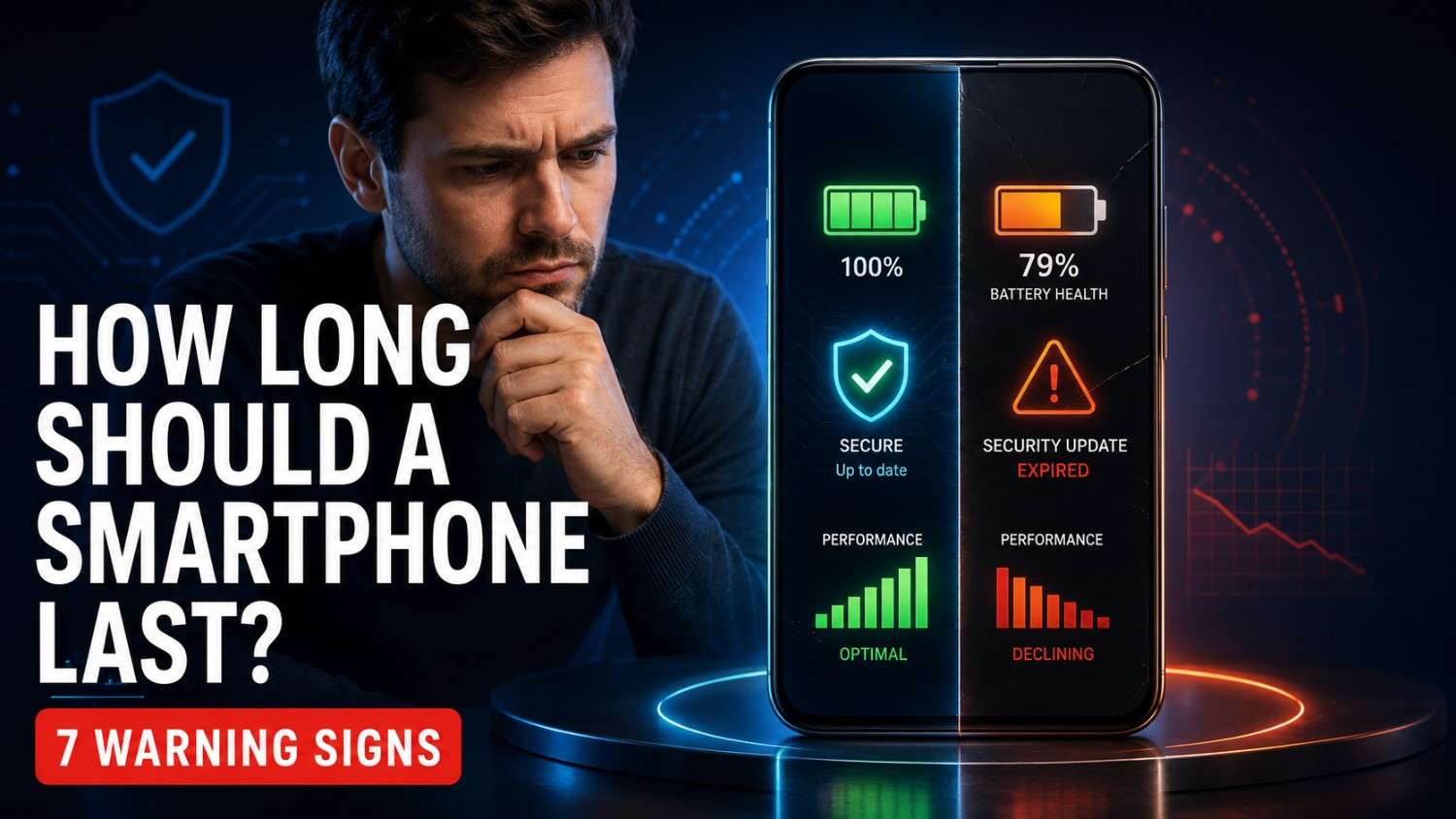
Quick answer: Most modern smartphones should remain useful for three to five years. A premium model with long software support, careful use and an affordable battery replacement can last five to seven years.
How long should a smartphone last? Most modern phones should remain useful for three to five years, while a well-supported premium phone can last five to seven years.
But age alone does not decide when your phone is finished. A three-year-old phone with a healthy battery and regular security updates may be perfectly reliable. A newer phone with a swollen battery or missing updates could already be a poor—and potentially unsafe—daily companion.
Here is the expensive mistake many people make: they replace a capable phone because its battery has weakened. A professional battery replacement may restore years of useful service.
The opposite mistake can be worse. Some people continue using an unsupported device for banking, passwords and private documents long after security updates have stopped.
So, should you keep, repair or replace your phone? Start with the 30-second test below. Battery health, software support, reliability and repair cost reveal far more than a launch date.
The 30-Second Smartphone Lifespan Test
Interactive phone health check
How Long Should Your Smartphone Last?
Enter your phone’s age, battery condition, usage and software-support status to receive an instant lifespan estimate.
Tell us about your phone
The result changes as you adjust each answer.
Estimated phone health
Your phone still has useful life
Your phone appears suitable for continued use. Keep it updated and monitor its battery performance.
This is an educational estimate, not a manufacturer guarantee or technical diagnosis. If the battery swells, stop charging the phone and contact a qualified repair provider.
Answer these five questions before spending money on another phone.
- Does your phone still receive security updates?
- Does the battery comfortably last through your normal day?
- Do banking, communication and work applications run correctly?
- Is the screen firmly attached without swelling or separation?
- Would repairing the main problem cost much less than replacing the phone?
Your result: Five yes answers usually mean keep it. Three or four suggest a repair or cleanup. One or two mean it is time to compare replacements. Swelling, smoke or an unusual smell means stop using the device and seek professional help.
How Many Years Should a Smartphone Really Last?
The practical lifespan of most smartphones is approximately three to five years. Budget devices commonly remain comfortable for two to four years, while selected premium models can deliver four to seven years.
These are realistic planning ranges, not manufacturer guarantees. Daily workload, temperature, storage, repair access and update policy can move the result in either direction.
| Phone category | Practical lifespan | Common limiting factor |
|---|---|---|
| Entry-level | 2–4 years | Limited storage, basic hardware and shorter support |
| Mid-range | 3–5 years | Battery wear, storage pressure and repair economics |
| Premium flagship | 4–7 years | Battery condition, display repair and update support |
| Refurbished | Varies | Age, repair history and remaining software support |
A phone used for messaging and browsing faces less stress than the same device used for gaming, continuous navigation and 4K recording. The calendar matters, but the workload matters too.
In practical terms, how long should a smartphone last depends on the workload, battery condition, repair access and remaining software support.
Is Your Phone Old—or Does It Just Need a New Battery?
Battery degradation is one of the most common reasons people replace otherwise useful smartphones. Every lithium-ion battery gradually loses capacity through charge cycles, age and heat.
The question “how long should a smartphone last?” often becomes a battery question after the first few years of ownership.
Apple states that batteries in iPhone 14 models and earlier are designed to retain 80% of original capacity after 500 complete charge cycles under ideal conditions. For iPhone 15 models and later, Apple states 80% after 1,000 complete cycles. Actual results depend on regular use and charging habits.
Source: Apple — iPhone battery and performance
What Does 80% Battery Health Actually Mean?
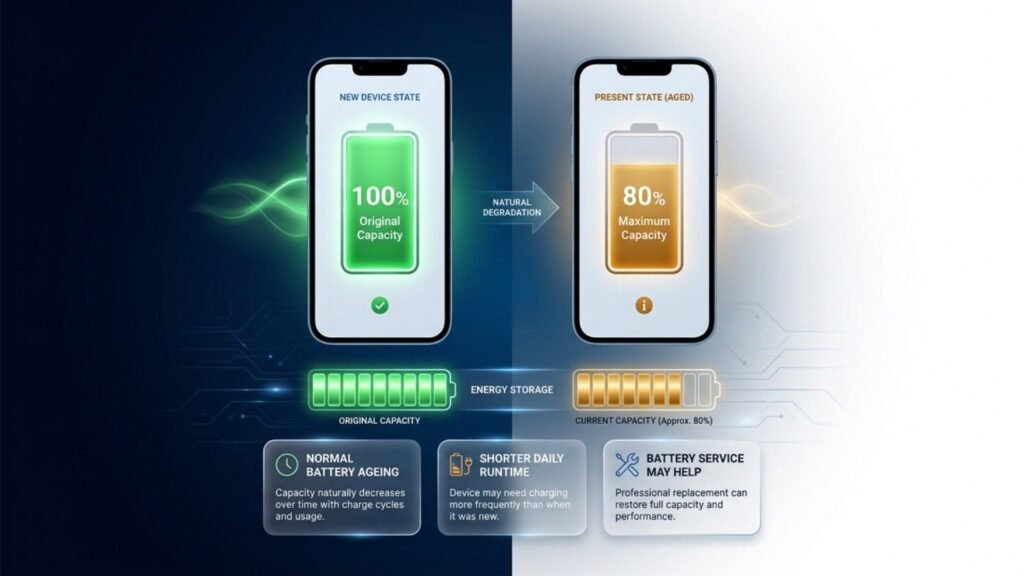
An 80% reading means the battery stores roughly four-fifths of the energy it held when new. It does not mean the phone instantly stops working at 79%.
Battery health matters when answering “how long should a smartphone last?” because reduced capacity can make an otherwise capable device feel ready for retirement.
Consider battery service when shorter runtime, sudden shutdowns or unstable performance disrupt normal use. If the display, processor and software remain healthy, replacing the battery can be far cheaper than replacing the whole device.
Estimate expected runtime with the PhonePrice360 smartphone battery-life calculator.
Can Fast Charging Quietly Shorten Battery Life?
Fast charging is not automatically harmful because modern phones manage power and temperature. Persistent heat is the more useful warning sign.
Anyone researching “how long should a smartphone last?” should pay more attention to sustained heat than to the maximum wattage printed on a compatible charger.
Apple advises against using or charging an iPhone above 35°C ambient temperature because high heat can permanently reduce battery lifespan. Avoid charging in direct sunlight, under a pillow or during demanding games when the phone is already hot.
Source: Apple — Charge and maintain your iPhone battery
Do New Durability Rules Help Phones Last Longer?
European Union ecodesign rules now establish a stronger durability benchmark for covered smartphones. Batteries must withstand at least 800 charge-and-discharge cycles while retaining at least 80% of initial capacity.
The rules also require manufacturers to make certain critical spare parts available to professional repairers for seven years after a model stops being sold in the EU.
Source: European Commission — Smartphones and tablets
Is It Dangerous to Use a Phone Without Security Updates?
A phone should receive security updates throughout its use as a primary device. Once patches end, vulnerabilities and application-compatibility problems can increase.
Software support changes the answer to “how long should a smartphone last?” because a physically healthy phone can still become unsuitable for sensitive daily tasks.
Support periods normally begin around the model’s original availability—not when you buy it years later at a discount. Always check the exact device rather than assuming every phone from one brand receives the same policy.
| Example | Official commitment | Important detail |
|---|---|---|
| Google Pixel 8 and later | 7 years of OS and security updates | Counted from first US Google Store availability |
| Samsung Galaxy S24 | 7 OS generations and 7 years of security | Policy is model-specific |
| Samsung Galaxy S25 | 7 OS generations and 7 years of security | Timing can vary by market and carrier |
| Apple iPhone | No single fixed term for every model | Check current iOS support for the exact device |
Official policies: Google Pixel updates | Samsung Galaxy S24 support | Samsung Galaxy S25 support
An unsupported device may remain suitable for offline media or other low-risk jobs. Avoid using it for banking, password management, confidential work or sensitive documents.
Should You Repair Your Phone or Finally Replace It?
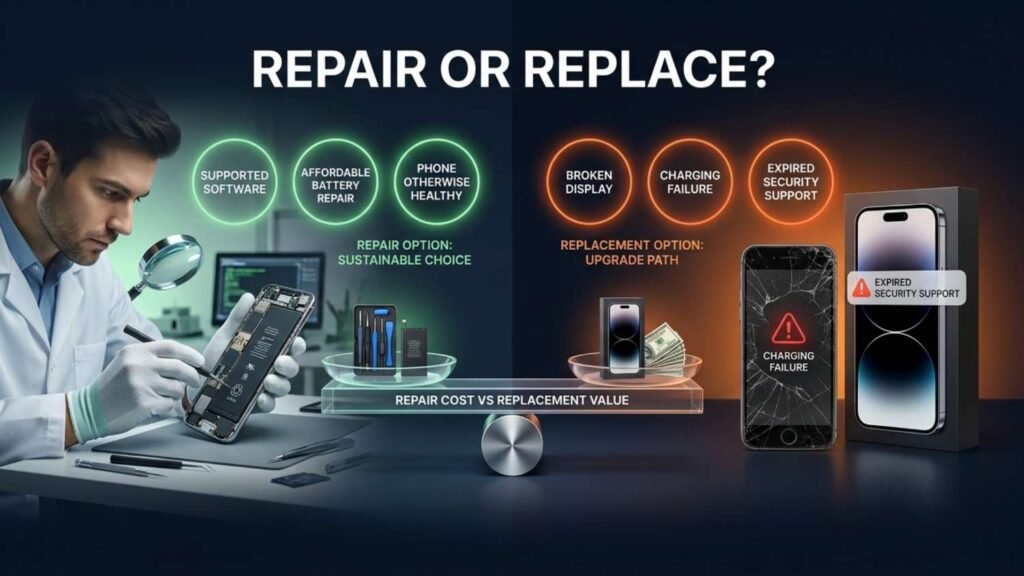
Repair the phone when one affordable component can restore several useful years. Replace it when multiple parts are failing, security support has ended or repair costs approach the price of a suitable alternative.
The practical answer to “how long should a smartphone last?” can change after a simple battery replacement or an unexpectedly expensive display quotation.
| Situation | Usually repair | Usually replace |
|---|---|---|
| Battery drains quickly | Phone remains supported and reliable | Battery swelling or several other failures |
| Broken screen | Repair is affordable and parts are trustworthy | Repair approaches replacement value |
| Slow performance | Cleanup or reset solves the problem | Essential apps remain unusable |
| Updates have ended | Use only for low-risk secondary tasks | Primary banking, work or sensitive use |
Before repairing, check coverage with the PhonePrice360 phone warranty checker. If you are considering an older premium model, read the Galaxy S23 Ultra refurbished buying guide.
What Are the 7 Warning Signs You Should Never Ignore?
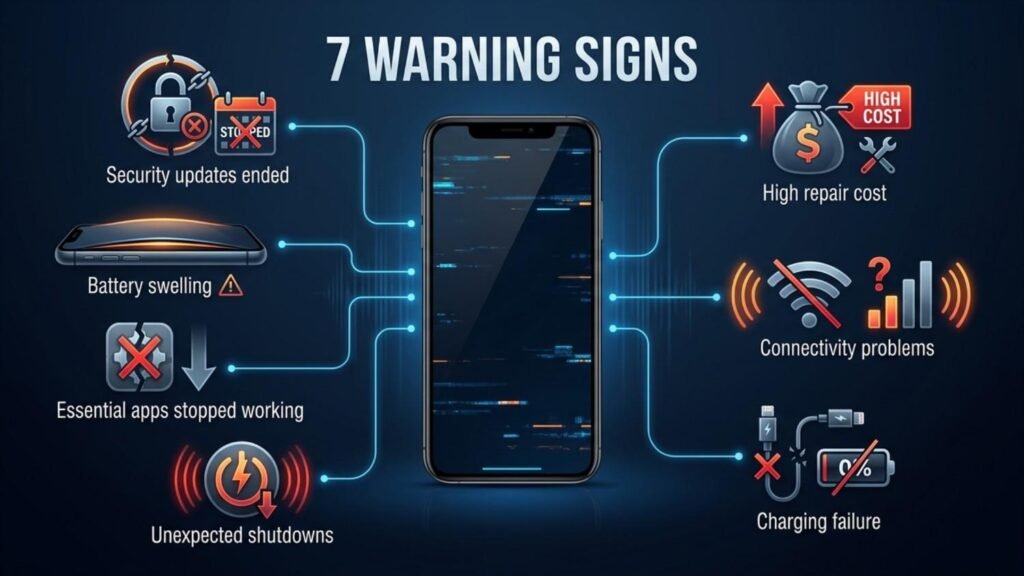
Your phone does not need replacing simply because it looks old. Replacement becomes sensible when the device turns unsafe, unsupported or consistently unreliable.
How long should a smartphone last? The normal three-to-five-year estimate no longer matters when the battery swells or the device develops another immediate safety problem.
1. Security updates have ended
The phone may still work, but risk increases over time. Avoid sensitive daily use once regular patches stop.
2. The battery is swollen
A lifted screen, widening frame gap or phone that no longer sits flat may indicate battery swelling.
3. Essential applications no longer work
Banking, communication and workplace apps eventually stop supporting old operating systems.
4. The phone shuts down unexpectedly
A worn battery may cause shutdowns under load. Persistent failure after service points to a larger problem.
5. Charging or connectivity repeatedly fails
One charging-port repair can be sensible. Multiple failures across charging, Wi-Fi, mobile data and GPS change the economics.
6. Repairs cost almost as much as a suitable replacement
Calculate the complete repair bill before replacing components one at a time.
7. Basic tasks are no longer reliable
A delayed animation is annoying. Payment, calling or navigation failures are real reasons to upgrade.
Battery safety warning: The US Environmental Protection Agency says swelling indicates battery damage and a potential fire hazard. Stop using and charging the device. Do not puncture or compress it; contact the manufacturer, retailer or an appropriate battery-waste service.
Source: US EPA — Lithium-ion battery safety questions
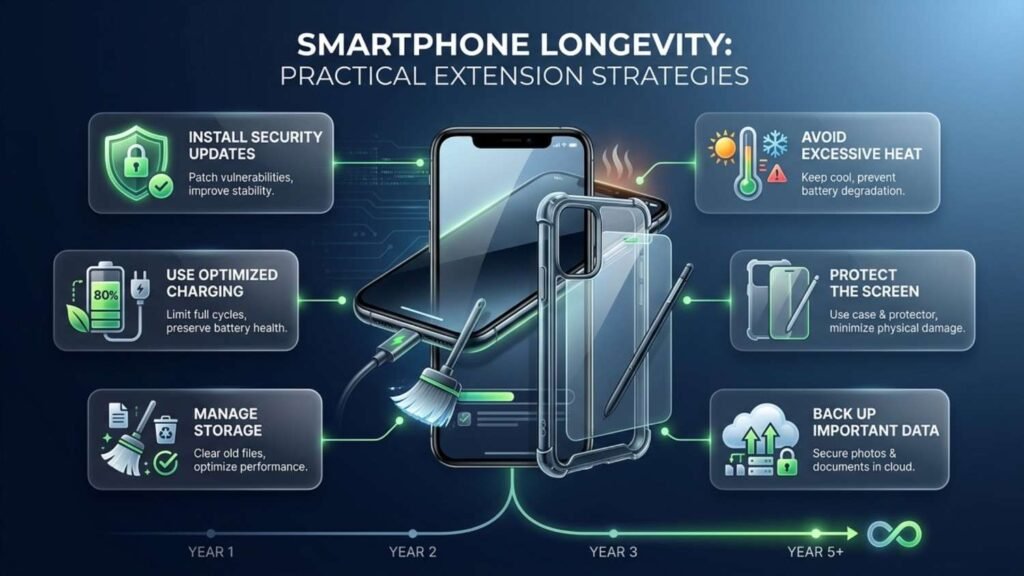
How Can You Add Two More Years to Your Phone’s Life?
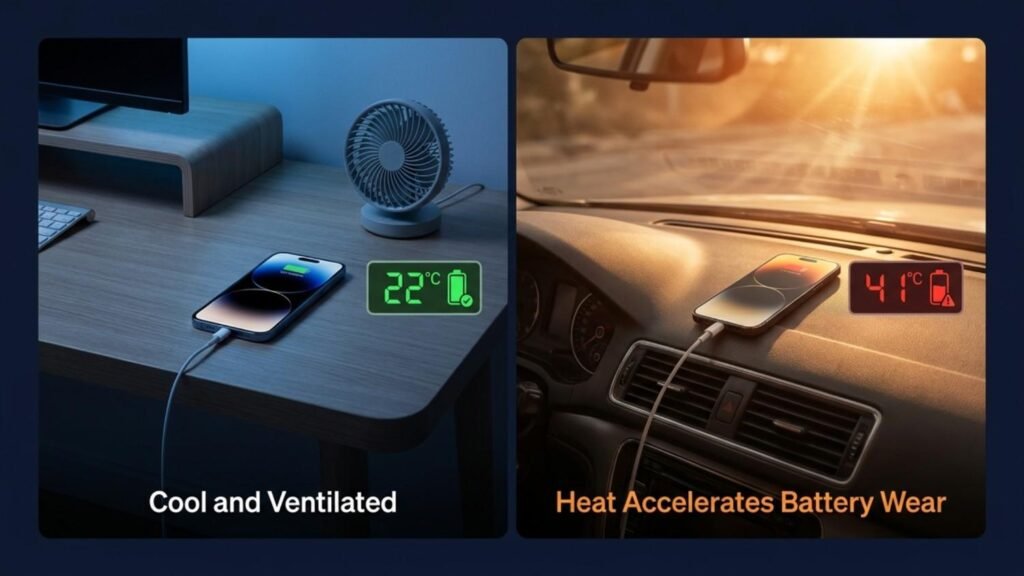
Control heat, install updates, protect the device and replace the battery when necessary. Consistent care matters more than complicated charging rituals.
If you are asking “how long should a smartphone last?”, everyday maintenance can influence the answer more than another impressive number on a specification sheet.
- Install updates. Security and system updates fix vulnerabilities and may improve stability.
- Use optimized charging. Charging limits can reduce the time a battery remains completely full.
- Avoid prolonged heat. Keep the phone away from direct sunlight and hot vehicles.
- Use compatible accessories. Choose reputable chargers and replace damaged cables.
- Protect the display and frame. A sensible case and screen protector cost less than a premium display.
- Manage storage. Remove unused apps and back up large media before storage becomes completely full.
- Replace a worn battery professionally. A quality battery can restore daily usefulness when the rest of the phone remains healthy.
- Back up important data. Five years of memories should not depend on one ageing piece of glass.
Learn more about newer battery designs in our guide to silicon-carbon battery phones.
How Long Should a Smartphone Last—Can It Reach Seven Years?
Yes, when the exact model receives long-term updates and remains repairable. Five to seven years is most realistic for a carefully selected premium or capable mid-range phone with adequate storage and battery service.
A seven-year-old phone will not feel identical to a new flagship. It may need a battery replacement, and some new features will require newer hardware. Calls, messaging, maps, streaming and ordinary apps may still work perfectly well.
How Should You Choose a Phone That Will Last Longer?
Buy for the fifth year, not only for the first week. Written update support, storage, service access and repair cost often matter more than one impressive specification.
How long should a smartphone last when chosen carefully? Five years becomes a realistic target when the model combines long updates, adequate storage and accessible battery service.
- Confirm the exact model’s OS and security-update policy.
- Check whether support begins at launch or purchase.
- Choose enough storage for several years of applications and media.
- Look for authorized service centres and genuine parts.
- Compare real battery endurance, not only capacity.
- Check repair pricing, warranty exclusions and water-resistance terms.
Use the PhonePrice360 phone specification finder and compare current recommendations in our best mobile phones in India guide.
Final Verdict: How Long Should a Smartphone Last?
Most smartphones should last three to five years. A supported premium or capable mid-range phone can remain useful for five to seven years with sensible care and timely battery service.
Do not replace a phone simply because a newer model exists. Replace it when it becomes unsafe, unsupported, unreliable or unable to meet an important requirement.
If your current phone still receives updates, supports essential applications and provides acceptable battery life, keeping it another year is not falling behind. It is getting proper value from something you already paid for.
Frequently Asked Questions
Quick answers about smartphone lifespan, battery health, software support and when to replace your phone.
How long should a smartphone last?
Most smartphones should provide three to five useful years. Budget models often fall closer to two to four years, while supported premium phones can reach five to seven years.
Should I replace my phone after three years?
Not automatically. Keep it if it receives security updates, runs essential apps reliably and has no safety problem. Consider battery service if runtime is the only major complaint.
Is 80% battery health bad?
It indicates noticeable wear, not immediate failure. Replace the battery when reduced runtime or unexpected shutdowns interfere with daily use.
Can replacing the battery extend a phone’s life?
Yes. Professional battery replacement can add useful years when the display, processor, charging system and software support remain healthy.
Is an unsupported phone safe to use?
It may continue working, but unpatched vulnerabilities increase risk. Avoid using an unsupported phone for banking, workplace accounts, password storage or other sensitive information.
Which lasts longer: iPhone or Android?
Longevity depends on the exact model. Compare its software-update policy, repair options, battery service and remaining support rather than judging only by the operating system.







1 thought on “How Long Should a Smartphone Last?7 Warning Signs You Should Never Ignore”