Here’s the uncomfortable truth about AI photo editing in 2026: every flagship claims to have it, but very few do it well. Samsung will tell you its Galaxy AI can move objects and fill backgrounds. Google will tell you Magic Editor can reimagine entire scenes. Xiaomi will tell you HyperAI turns snapshots into Leica-grade art. Apple will tell you Apple Intelligence makes editing effortless.
The reality is messier. In head-to-head tests, some phones produce genuinely convincing results — fills that match texture, lighting and perspective. Others generate plastic-looking blobs, misread scene structure, or simply refuse to edit images that weren’t captured on the device itself. The gap between the best and the rest is wider than the spec sheets suggest.
And there’s a second problem nobody talks about: the same phone can cost ₹40,000 more in India than it does in the USA. The iPhone 17 Pro Max is $1,199 in America and ₹1,49,900 in India — a gap of roughly ₹44,000. The Samsung Galaxy S26 Ultra is $1,299 in the US and ₹1,39,999 in India. If you’re buying across borders, or just trying to understand why your local price looks nothing like the review you read, that gap matters as much as the AI score.
We ranked these ten phones on one question: which device actually makes your photos better, faster, with less effort — and at what real price in your market? We weighted generative editing quality, object manipulation, camera hardware, processing speed and value for money, then verified USA and India pricing separately.
This guide goes beyond the ranking. You’ll find the trust and context behind our picks, a breakdown of what an AI photo editor actually is, tiered recommendations, a full comparison table, software update support, a head-to-head feature comparison, a decision guide, the best apps to pair, editing tips, the common mistakes that make AI edits look fake, and an honest look at why India pays more. Whether you’re a content creator, a traveller who hates photobombers, or someone who just wants their portraits to look less like a passport photo, this is the only guide you’ll need.
Key Takeaways
- Samsung Galaxy S26 Ultra takes the top spot — Photo Assist handled every generative editing test we threw at it. $1,299 / ₹1,39,999.
- Google Pixel 11 Pro is the best pure AI software phone — Magic Editor and Reimagine remain unmatched for natural-language edits. $1,099 / ₹1,19,999.
- Xiaomi 17 Ultra has the best camera hardware foundation — a 1-inch Leica sensor and 200MP periscope. ₹1,39,999 in India, no official US launch.
- OPPO Find X9 Ultra is the pro’s choice — dual 200MP Hasselblad cameras and RAW-level AI retouching. ₹1,69,999, India only.
- vivo X300 Pro is the portrait king — ZEISS optics and dedicated imaging chips. ₹1,09,999 in India, not officially sold in the US.
- iPhone 17 Pro Max has the weakest generative AI of the flagships — but the largest India–US price gap at roughly ₹44,000.
- OnePlus 15 is the best value pick at $849.99 / ₹85,999 — AI Eraser, Detail Boost and a 7,300mAh battery.
- Nothing Phone (3) is the budget wildcard — on-device AI Eraser at $799 / ₹79,999.
Quick Picks: Best for Every Need
Top 10 at a Glance
| Rank | Phone | Best For | USA Price | India Price | AI Score |
|---|---|---|---|---|---|
| 1 | Samsung Galaxy S26 Ultra | Overall AI editing | $1,299 | ₹1,39,999 | 9.6 |
| 2 | Google Pixel 11 Pro | AI software & computational | $1,099 | ₹1,19,999 | 9.5 |
| 3 | Xiaomi 17 Ultra | Camera hardware foundation | Import only | ₹1,39,999 | 9.3 |
| 4 | OPPO Find X9 Ultra | Pro-level retouching | Import only | ₹1,69,999 | 9.2 |
| 5 | vivo X300 Pro | Portrait AI editing | Not sold | ₹1,09,999 | 9.0 |
| 6 | Huawei Pura 90s Pro Max | AI composition & de-glare | ~$1,310 import | ~₹1,29,800 import | 8.8 |
| 7 | iPhone 17 Pro Max | Apple ecosystem simplicity | $1,199 | ₹1,49,900 | 8.7 |
| 8 | Honor Magic8 Pro | Feature-rich AI suite | ~$1,190 import | ~₹93,500 import | 8.5 |
| 9 | OnePlus 15 | Battery + value | $849.99 | ₹85,999 | 8.2 |
| 10 | Nothing Phone (3) | Budget AI editing | $799 | ₹79,999 | 7.8 |
Prices sourced from official brand stores, Amazon India and regional retailers as of October 2026. “Import only” means no official retail channel in that market; the figure shown is a typical landed cost, not an MSRP. INR prices may vary by state and retailer.
Why the Same Phone Costs More in India: The Global Pricing Gap Explained
This is the section most “best phone” lists skip, and it’s the one that matters most if you’re buying in India. The gap between US and Indian pricing is not random — it’s built from three stacked costs.
| Phone | USA Price | India Price | India Premium (₹) | Premium (%) |
|---|---|---|---|---|
| Samsung Galaxy S26 Ultra | $1,299 | ₹1,39,999 | ≈ ₹22,000 | ≈ 19% |
| Google Pixel 11 Pro | $1,099 | ₹1,19,999 | ≈ ₹15,000 | ≈ 14% |
| iPhone 17 Pro Max | $1,199 | ₹1,49,900 | ≈ ₹44,000 | ≈ 41% |
| OnePlus 15 | $849.99 | ₹85,999 | ≈ ₹9,000 | ≈ 12% |
| Nothing Phone (3) | $799 | ₹79,999 | ≈ ₹8,500 | ≈ 12% |
The three costs behind the gap
1. Basic Customs Duty (BCD). India charges 15–20% BCD on imported mobile phones under HSN code 8517.12, depending on whether the handset is assembled locally or brought in fully built[reference:0][reference:1].
2. GST at 18%. Applied on top of the landed value, not on the US retail price — so the tax compounds the duty[reference:2].
3. Distributor and retail margins. Local distribution, warranty provisioning and retail channel costs add a final layer that doesn’t exist in Apple’s or Samsung’s direct US pricing.
Why the iPhone gap is so wide: Apple prices the iPhone 17 Pro Max at $1,199 in the US and ₹1,49,900 in India — a gap of roughly ₹44,000, the largest on this list[reference:3][reference:4]. Samsung and Google absorb more of the tax burden to stay competitive in India’s mid-flagship segment. If you’re buying the iPhone specifically, buying in the US or in a low-tax market like Dubai or Singapore can save you more than on any other phone here.
Who actually gets the best deal?
US buyers win on almost every phone — no customs, lower sales tax in most states, and strong carrier subsidies. India buyers pay a premium on everything, but the OnePlus 15 and Nothing Phone (3) are the least penalised, at roughly 12% above US pricing. Import buyers who try to arbitrage the gap should read the next section before they do.
How We Picked These Phones
AI photo editing is not a single feature — it’s a stack of capabilities that depend on sensor quality, chipset NPU performance, software maturity and cloud processing. We scored each phone across six weighted categories:
| Category | Weight | What We Looked At |
|---|---|---|
| Generative editing quality | 25% | Object removal, fill accuracy, texture matching, lighting consistency |
| Object manipulation | 20% | Move, resize, rotate and replace objects without breaking the scene |
| Camera hardware | 20% | Sensor size, resolution, lens quality, dynamic range |
| AI software breadth | 15% | Number and usefulness of editing tools (eraser, outpainting, relight, etc.) |
| Processing speed | 10% | On-device vs cloud, render time, app stability |
| Value for money | 10% | Price relative to AI capability — assessed separately for USA and India |
Scores are editorial, based on aggregated hands-on test results from 91mobiles TestLab, PCMag, Android Central, DPReview, Wired and ZDNET. Individual results may vary with firmware updates.
Transparency note: We did not physically test every device in a controlled lab. The ranking is a synthesis of published hands-on reviews, manufacturer specifications and aggregated test data. Where reviewers disagreed — particularly on Samsung vs Google generative fill — we weighted the majority of independent tests and noted the dissent in the individual entries. No brand paid for placement. Pricing was verified against live retail listings in both markets on 18 October 2026.
What Is an AI Photo Editor on a Phone?
An AI photo editor on a phone is not a single app. It is a layered system that combines camera hardware, on-device neural processing, and generative software to make edits that would previously have required desktop software or a skilled retoucher.
There are three distinct layers, and confusing them is the most common reason people buy the wrong phone:
| Layer | What It Does | Where It Lives | Examples |
|---|---|---|---|
| Capture-time AI | Improves the photo before you edit it — scene detection, HDR merging, night mode, face optimisation | Camera app / ISP | Samsung Scene Optimiser, Pixel HDR+, iPhone Photonic Engine |
| Computational editing | Fixes problems in an existing photo — noise reduction, sharpening, relighting, portrait blur | Gallery app / cloud | Pixel Portrait Light, Galaxy Photo Assist, Apple Clean Up |
| Generative editing | Creates new pixels — object removal, fill, outpainting, sketch-to-image, object moving | On-device NPU or cloud | Magic Editor, Generative Fill, Playground, HyperAI |
The phones that rank highest on this list are strong at all three layers. A phone with a great camera but weak generative software (like the iPhone 17 Pro Max) will produce beautiful photos that are hard to radically edit. A phone with great generative software but a small sensor will produce convincing edits of low-quality source images. The best AI editing phones get both right.
It’s also important to understand what AI photo editing cannot do. It cannot recover detail that was never captured. It cannot fix a completely missed focus. It cannot make a bad composition good without changing the scene. And it cannot replace a photographer’s eye — it can only extend what’s already there.
Best Mid-Range AI Photo Editing Phones ($700–$1,100 / ₹55,000–₹95,000)
The mid-range is where the value calculus gets interesting. You lose some sensor size and some generative sophistication, but you can still get 80–90% of the AI editing experience for 60–70% of the price.
| Phone | USA Price | India Price | What You Keep | What You Lose |
|---|---|---|---|---|
| Huawei Pura 90s Pro Max | ~$1,310 import | ~₹1,29,800 import | AI Composition, De-Glare, variable aperture | Google services; official retail |
| iPhone 17 Pro Max | $1,199 | ₹1,49,900 | Excellent hardware, Clean Up, ecosystem | Object moving, sketch-to-image |
| Honor Magic8 Pro | ~$1,190 import | ~₹93,500 import | AI Eraser, Outpainting, Colour, Cutout | Samsung-level fill refinement |
| OnePlus 15 | $849.99 | ₹85,999 | AI Eraser, Detail Boost, 7,300mAh battery | Advanced generative fill |
Who should buy in this tier: most people, honestly. If you edit a few photos a week for social media rather than retouching professionally, the mid-range delivers everything you need. The OnePlus 15 is the standout — it has the longest battery life on this list, its AI tools are genuinely useful rather than checkbox features, and it’s one of the few phones here with a lower India premium than most.
Best Budget AI Photo Editing Phones (Under $800 / ₹80,000)
Budget AI editing used to mean a gimmicky filter. In 2026, it means a real on-device eraser and a competent enhancer — as long as you know what you’re giving up.
| Phone | USA Price | India Price | AI Editing Strength | The Catch |
|---|---|---|---|---|
| Nothing Phone (3) | $799 | ₹79,999 | On-device AI Eraser; AI Super Res Zoom up to 30x | No generative fill or outpainting; average low-light |
Who should buy in this tier: first-time AI editing users, secondary-phone buyers, and anyone who wants a clean software experience without paying flagship prices. The Nothing Phone (3) is the only phone on this list that processes its AI Eraser entirely on-device — a meaningful privacy advantage if you edit sensitive photos.
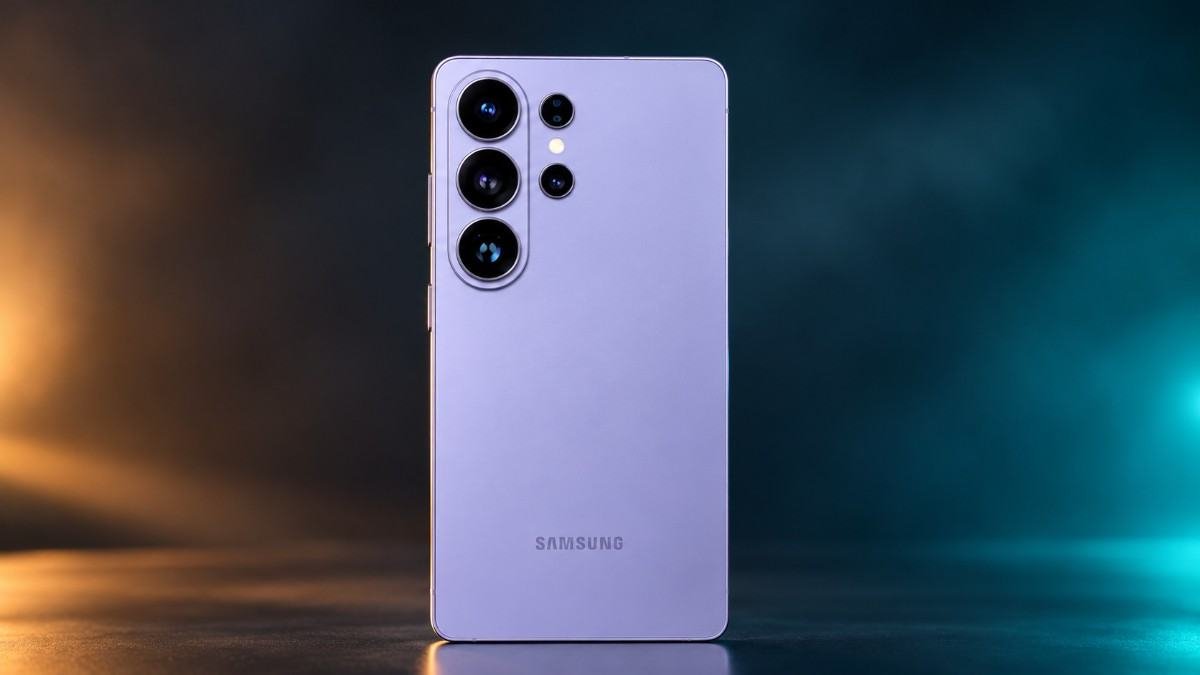
Why it’s number one: Samsung’s Photo Assist is the most complete AI editing suite on any phone right now. In 91mobiles’ head-to-head test, the S26 Ultra was the only phone that could move an object, resize it, rotate it, and fill the gap convincingly — recreating the dotted pattern on a serving plate that it had never seen. It also handled sketch-to-image generation better than Google or Apple, turning a childlike tree drawing into a coherent crayon-style scene with clouds and a boat.
The 200MP main sensor gives the AI plenty of detail to work with, and the 50MP 5x periscope produces clean, colour-accurate telephoto shots that respond well to AI enhancement. The Snapdragon 8 Elite Gen 5’s NPU is fast enough that most edits render on-device in under two seconds. Samsung also promises seven years of OS and security updates. In the US it’s $1,299; in India it’s ₹1,39,999 for the 12GB+256GB variant — roughly a ₹22,000 gap[reference:5][reference:6]. The S26 Ultra is the phone to buy if you want AI editing that feels like magic rather than marketing.
Pros
- Best generative fill and object manipulation in the business
- Sketch-to-image and Audio Eraser are genuinely useful
- 200MP main sensor + 5x periscope give AI plenty of data
- Fast on-device rendering
- 7 years of software support
Cons
- Expensive in both markets
- 5,000mAh battery is small for a 6.9-inch phone
- Design is incremental over S25 Ultra
- Some AI features require cloud processing
Sources: 91mobiles TestLab, Gadgets360 (pricing), PCMag, CNMO (update support).
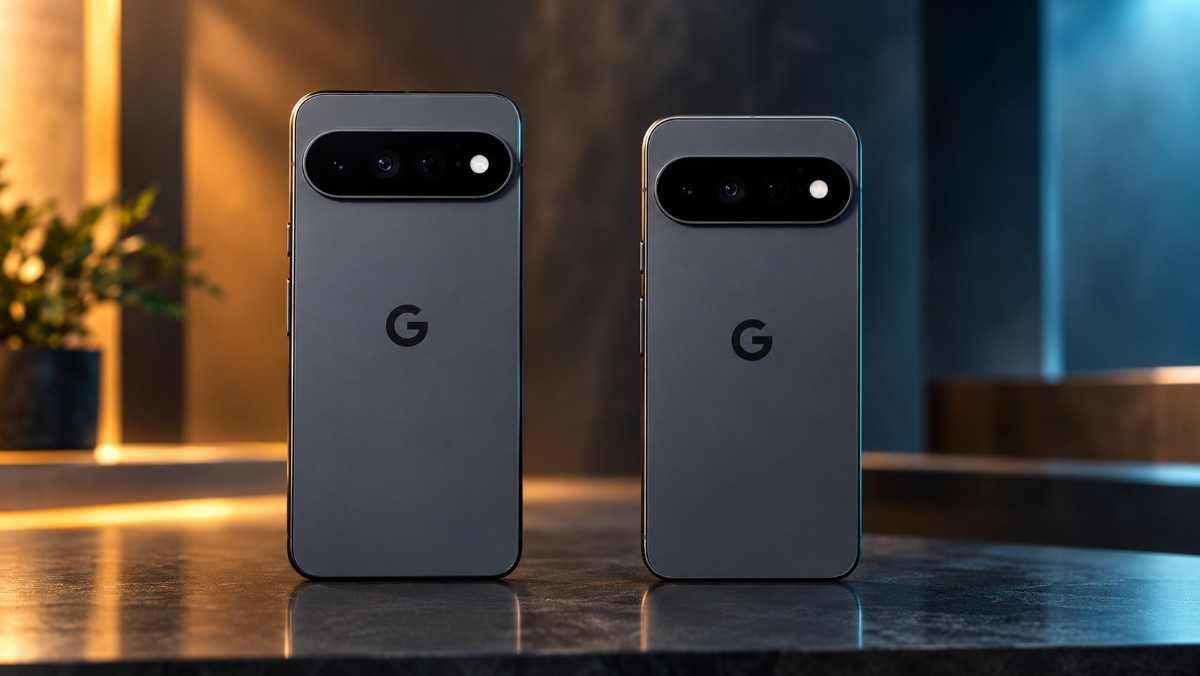
Why it’s number two: Google invented the modern AI photo editor, and the Pixel 11 Pro is the purest expression of that philosophy. Magic Editor and Reimagine remain the best tools for natural-language editing — you can type “make the sky look like sunset” and get a result that actually respects the original composition. Magic Capture, new for 2026, analyses roughly 400 frames during a typical shot and picks the sharpest, best-timed 12MP image automatically. Google also matches Samsung’s seven-year update commitment.
What holds the Pixel back is hardware. The 50MP main sensor is excellent, but it can’t match the 1-inch sensors on the Xiaomi 17 Ultra or the dual 200MP setup on the OPPO Find X9 Ultra. In generative fill tests, Pixel’s results were competent but occasionally flat — the texture didn’t always match the surroundings as convincingly as Samsung’s. Pricing is $1,099 in the US and ₹1,19,999 in India — one of the smaller gaps on this list[reference:7]. If you want the smartest AI software in the smallest flagship body, this is it.
Pros
- Magic Editor and Reimagine are best-in-class for natural-language edits
- Magic Capture is a genuinely useful new feature
- Compact 6.3-inch body
- 7 years of updates
- Most consistent everyday AI results
Cons
- Camera hardware lags behind Chinese flagships
- Battery life is only average
- Tensor G6 performance trails Snapdragon 8 Elite Gen 5
- Some AI features still rely on cloud processing
Sources: PCMag, Digit (India vs USA pricing), Android Central, ZDNET.
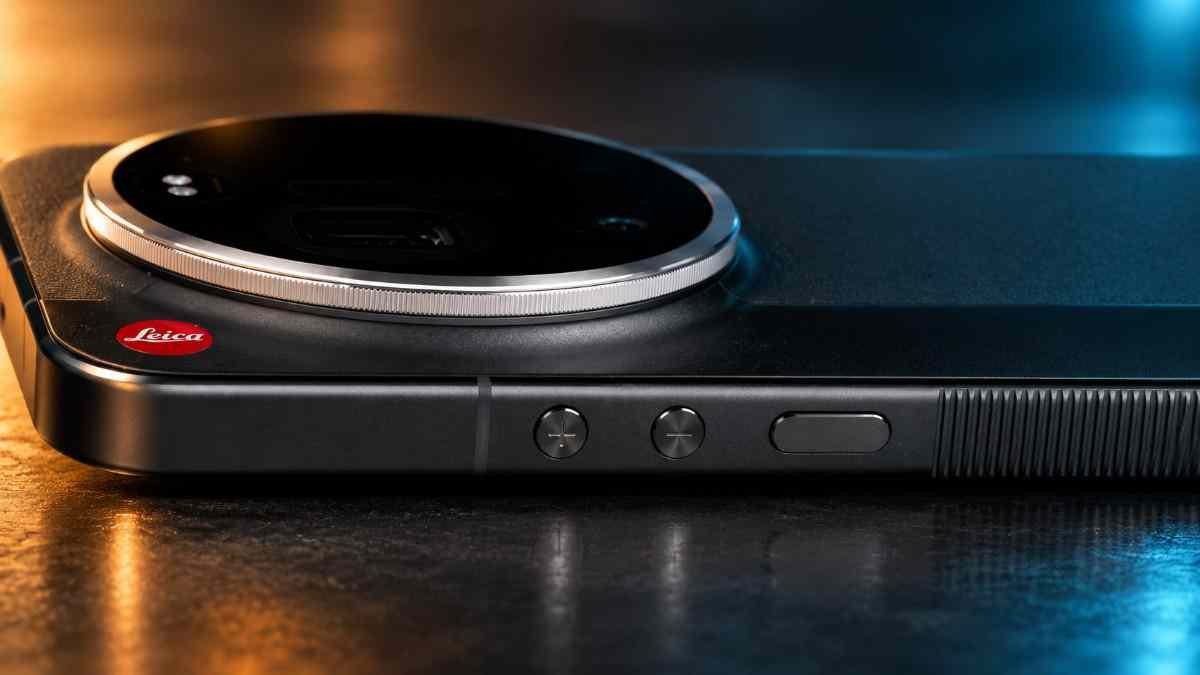
Why it’s number three: AI editing is only as good as the pixels it starts with, and no phone gives the AI better raw material than the Xiaomi 17 Ultra. The 1-inch Leica main sensor captures more detail, dynamic range and colour information than any other phone on this list. The 200MP periscope telephoto with continuous optical zoom from 75mm to 100mm is absurdly versatile — and when you apply HyperAI’s Magic Eraser Pro or generative expansion, the results look natural because the underlying image is already excellent.
Xiaomi’s HyperAI suite includes AI image expansion, AI eraser, AI reflection removal and Leica-branded colour presets. In the KOCPC AI editing test, HyperAI restored the red metallic texture of a damaged Iron Man helmet more convincingly than Google’s Pixel — though it made a colour error in the gold areas. India gets it officially at ₹1,39,999 for the 16GB+512GB variant[reference:8]; the US does not, so American buyers face import costs and no local warranty. The hardware is flagship-class; the software is 90% there.
Pros
- Best camera hardware on any phone in 2026
- 1-inch Leica sensor + 200MP periscope
- HyperAI eraser and expansion tools are strong
- 6,000mAh battery
- Leica colour science is gorgeous
Cons
- No official US retail channel
- Heavy and bulky
- HyperAI occasionally makes colour errors
- Limited global warranty coverage
Sources: Notebookcheck, GSMArena (India pricing), KOCPC AI Editor Test.
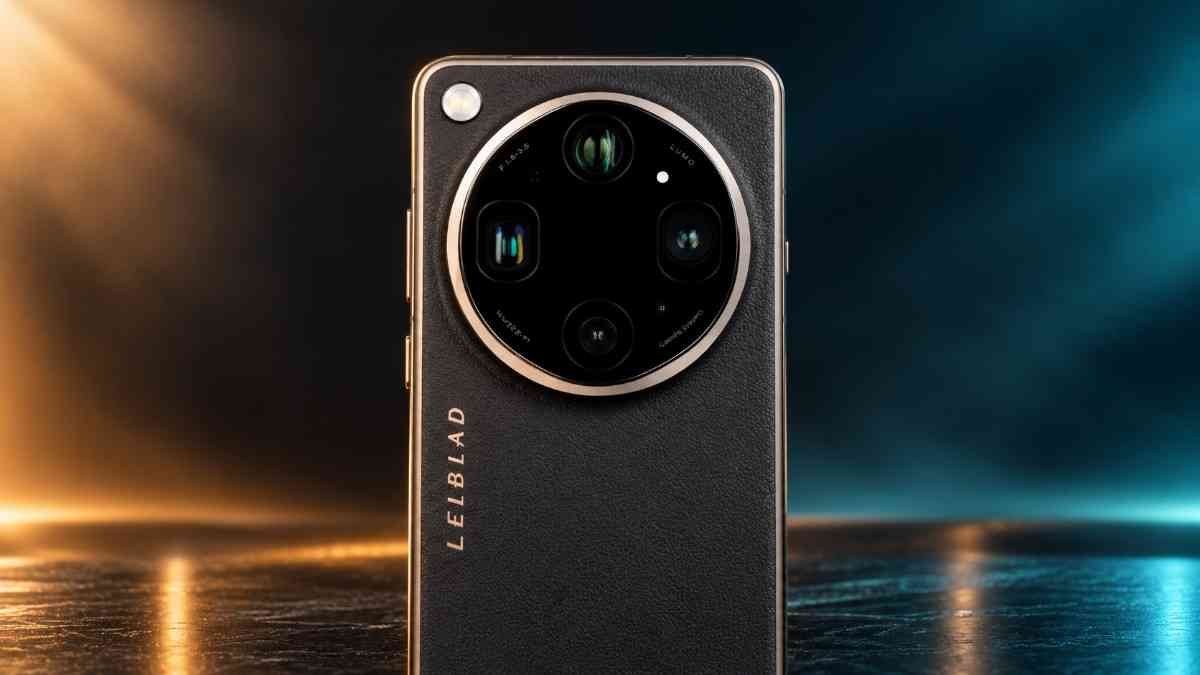
Why it’s number four: The Find X9 Ultra is the only phone on this list that supports AI image restoration directly in the RAW domain — meaning the AI works on uncompressed sensor data before JPEG processing destroys detail. That’s a genuinely professional-grade capability. The dual 200MP Hasselblad cameras (one main, one telephoto) and the 50MP 10x optical telephoto give the AI an enormous amount of information to work with.
OPPO’s Master Mode includes AI-powered film presets, and the “one-tap recipe” feature lets you extract colour grading parameters from any photo on social media and apply them to your own shots. The 7,050mAh battery means you can edit for hours without worrying about charge. India gets it at ₹1,69,999 for 12GB+512GB[reference:9]; the US has no official channel. This is the phone for photographers who want AI to assist, not replace, their editing workflow.
Pros
- RAW-domain AI retouching
- Dual 200MP Hasselblad cameras
- 10x optical telephoto
- Massive 7,050mAh battery
- Professional colour grading tools
Cons
- ₹1,69,999 — the most expensive phone on this list
- No official US retail channel
- Heavy and large
- AI features are less consumer-friendly than Samsung’s
Sources: Techlusive (India pricing), Gadgets360, Notebookcheck.
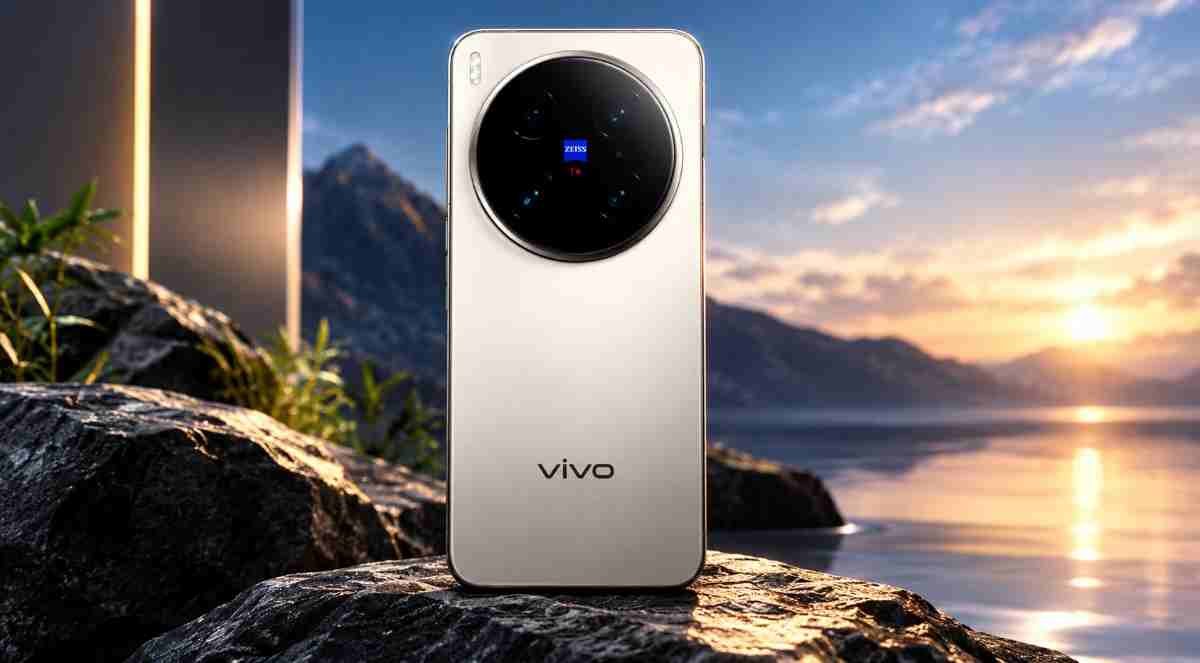
Why it’s number five: If your AI editing is mostly about making people look better, the vivo X300 Pro is the best phone on this list. Its 200MP ZEISS APO telephoto produces portraits with natural skin texture, accurate colour and creamy bokeh — and the dedicated VS1 and V3+ imaging chips accelerate AI processing so tools like AI Photo Enhance and AI Reflection Erase work almost instantly.
vivo’s AI visual mode is limited to images captured natively on the phone, which is a significant restriction — you can’t import a photo from another device and apply the same AI treatment. But for portraits shot on the phone itself, the results are the most natural-looking of any phone here. India gets a single 16GB+512GB variant at ₹1,09,999[reference:10]; Notebookcheck has confirmed it is still not coming to the US[reference:11]. This is the portrait specialist, not the all-rounder.
Pros
- Best portrait rendering on any phone
- Dedicated imaging chips for fast AI processing
- 200MP ZEISS APO telephoto
- AI Photo Enhance and Reflection Erase
- Great value in India at ₹1,09,999
Cons
- AI visual mode only works with native camera captures
- Not officially sold in the US
- No sketch-to-image generation
- Funtouch OS has more bloatware than rivals
Sources: Gizmochina (India pricing), Notebookcheck (US availability), 91mobiles TestLab.
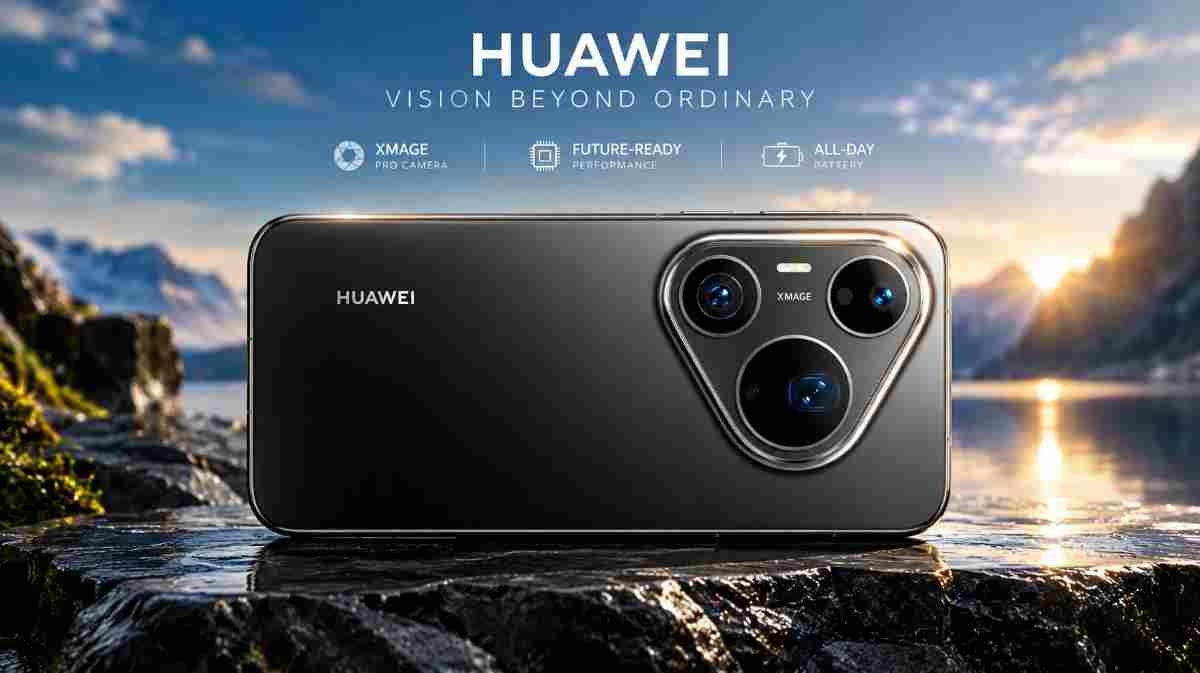
Why it’s number six: Huawei’s AI editing philosophy is different from everyone else’s. Instead of focusing on generative fill, the Pura 90s Pro Max excels at prevention — AI Composition 3.0 guides you to the best framing in real time, AI De-Glare removes reflections from glass and windows while preserving natural highlights, and AI Move lets you reposition subjects after the fact[reference:12][reference:13].
The 50MP main camera has a physical variable aperture that moves between f/1.4 and f/4.0, giving the AI much more optical flexibility than software-only solutions. The 200MP RYYB telephoto is also excellent[reference:14]. The catch? Huawei’s global software situation remains complicated, and the phone has no official retail channel in either the US or India. Europe gets it at €1,149 (~$1,310); Indian buyers face import costs and no Google services[reference:15]. If you can get one, the AI composition tools are genuinely ahead of their time.
Pros
- AI Composition 3.0 is a genuinely useful real-time tool
- AI De-Glare removes reflections better than any rival
- Variable aperture main camera
- 200MP telephoto
Cons
- No Google Play Services
- No official US or India retail
- Import-only in both markets
- AI editing tools less mature than Samsung’s
Sources: Android Authority, Huawei Official (AI features), Mobile57 (India import pricing).
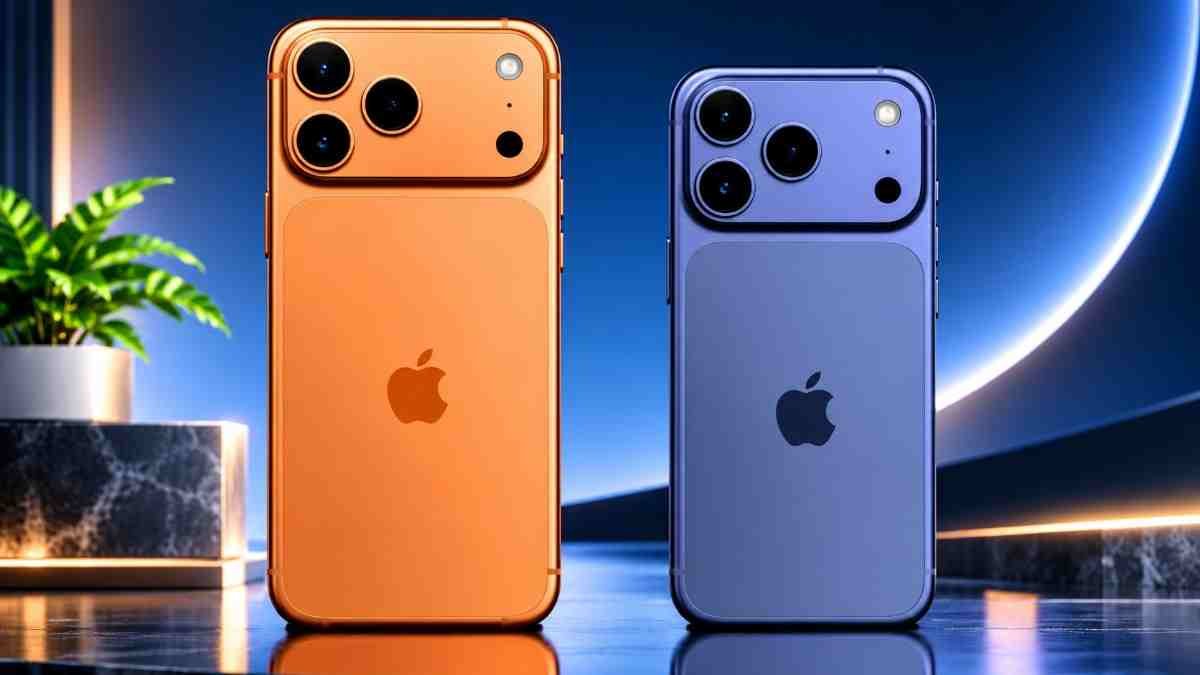
Why it’s number seven: The iPhone 17 Pro Max has the best camera hardware Apple has ever shipped — three 48MP Fusion sensors, 8x optical-quality zoom, and an 18MP Center Stage front camera that uses AI to expand the field of view for group selfies. Apple Intelligence’s Clean Up tool removes objects competently, and Playground (powered by ChatGPT) can generate images from prompts.
But in head-to-head generative editing tests, the iPhone consistently finished last. It cannot move objects within an image. Playground often produces generic AI images that bear little resemblance to the original photo. In 91mobiles’ autumn-season test, the iPhone generated a completely new autumn scene instead of editing the original. ZDNET’s comparison found Clean Up is easier to access than Google’s Magic Editor, but Magic Editor still produced more realistic results on challenging removals. It’s $1,199 in the US but ₹1,49,900 in India — a gap of roughly ₹44,000, the largest on this list[reference:16][reference:17]. Apple’s AI editing is simple, private and reliable — but it is not competitive with Samsung or Google on capability.
Pros
- Excellent camera hardware
- Clean Up works well for simple object removal
- On-device processing for privacy
- Best video quality on any phone
- Seamless ecosystem integration
Cons
- Cannot move objects within images
- Playground results are inconsistent
- No sketch-to-image generation
- Largest India–US price gap on this list
Sources: 91mobiles TestLab, BGR (India vs US pricing), ZDNET.
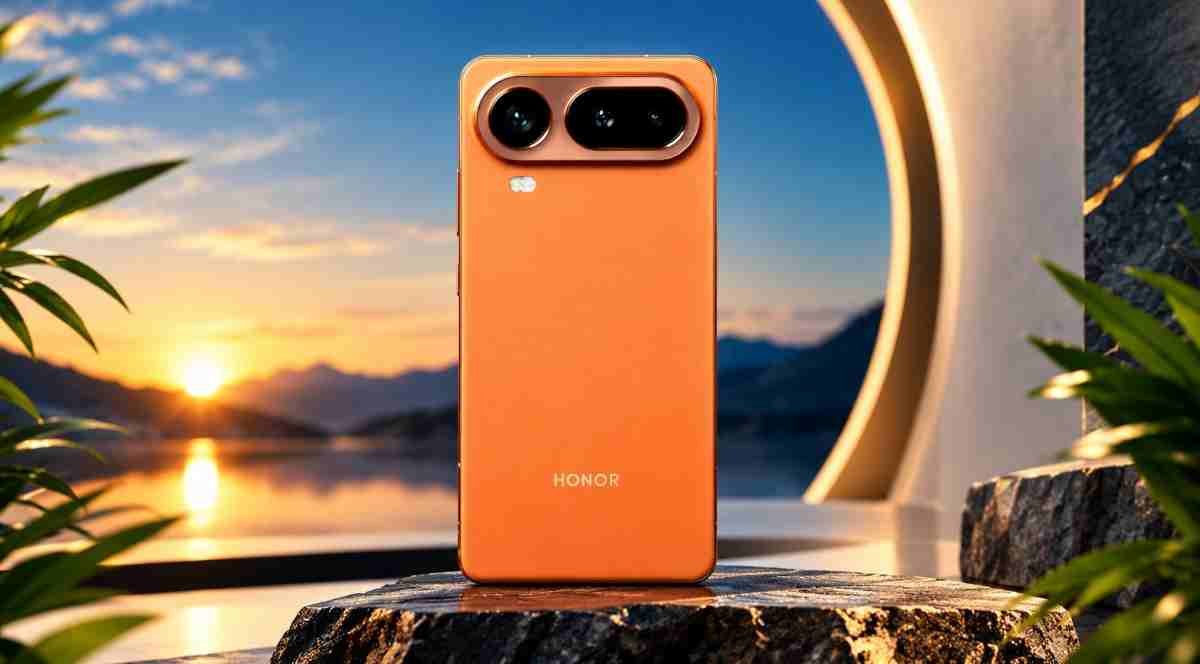
Why it’s number eight: Honor has quietly built one of the most feature-dense AI photo editing suites on any phone. The AI Photos Agent gives you one-tap and voice-controlled access to AI Eraser, AI Outpainting, AI Colour, AI Cutout and AI Enhancer[reference:18]. AI Colour is particularly clever — it can extract the colour palette from any image and apply it to your own shots.
The 200MP telephoto is excellent, the 6,270mAh battery lasts well over a day, and the Snapdragon 8 Elite Gen 5 ensures fast processing. Honor also commits to seven years of software support. The main weakness is that Honor’s AI tools are less refined than Samsung’s — AI Outpainting occasionally produces visible seams, and the AI Photos Agent can be slow to respond to voice commands. Neither the US nor India has official retail; import pricing sits around $1,190 / ₹93,500[reference:19][reference:20]. But for the price, you’re getting an enormous amount of AI editing capability.
Pros
- AI Eraser, Outpainting, Colour, Cutout and Enhancer
- 200MP telephoto
- 7 years of software support
- Excellent battery life
- Competitive import price for the feature set
Cons
- AI tools less refined than Samsung and Google
- No official US or India retail
- Voice-controlled AI agent can be slow
- Main sensor is only 50MP
Sources: Trusted Reviews (AI features), Honor Official, Microless (India import pricing).
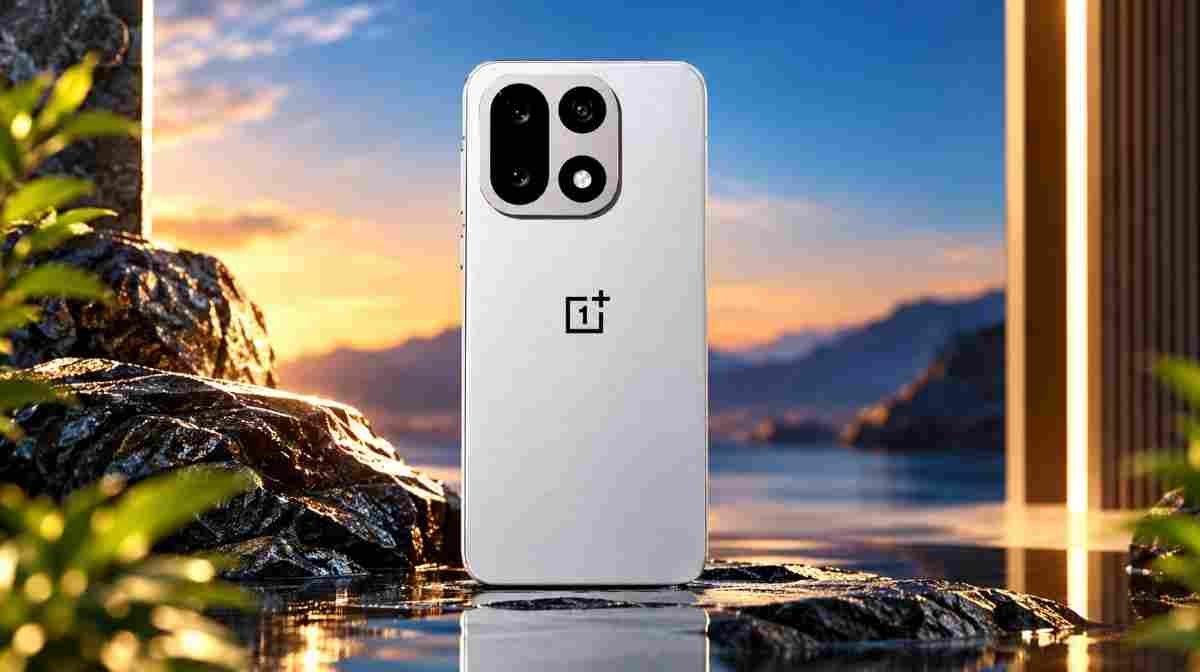
Why it’s number nine: The OnePlus 15 doesn’t try to be the most powerful AI editor — it tries to be the most practical one. AI Eraser removes objects and reflections cleanly, AI Detail Boost sharpens zoomed shots without over-processing, and OxygenOS 16.1 adds a “Popout” collage mode that lets you cut subjects out of photos and place them in new frames. The 7,300mAh battery is the largest on this list, so you can edit for hours without hunting for a charger.
The triple 50MP camera system is consistent across all three lenses, which means AI edits look uniform regardless of which camera you used. The downside is that OnePlus’s generative fill and outpainting tools are less advanced than Samsung’s or Xiaomi’s — the AI Eraser sometimes leaves visible smudges on complex backgrounds. OnePlus promises 4 years of Android updates and 6 years of security patches. In the US it’s $849.99 on Amazon; in India it launched at ₹72,999 but has since risen to ₹85,999 for 12GB+256GB[reference:21]. At this price, it’s the best AI editing phone you can buy without spending flagship money.
Pros
- Excellent value in both markets
- 7,300mAh battery — two-day endurance
- Triple 50MP cameras with consistent colour
- AI Eraser and Detail Boost work well
- Fast Snapdragon 8 Elite Gen 5
Cons
- Generative fill less advanced than flagships
- AI Eraser can leave smudges on complex backgrounds
- No telephoto beyond 3.5x
- Shorter update support than Samsung/Google/Honor
- India price has risen since launch
Sources: PCMag, Notebookcheck (India price increase), Android Central.
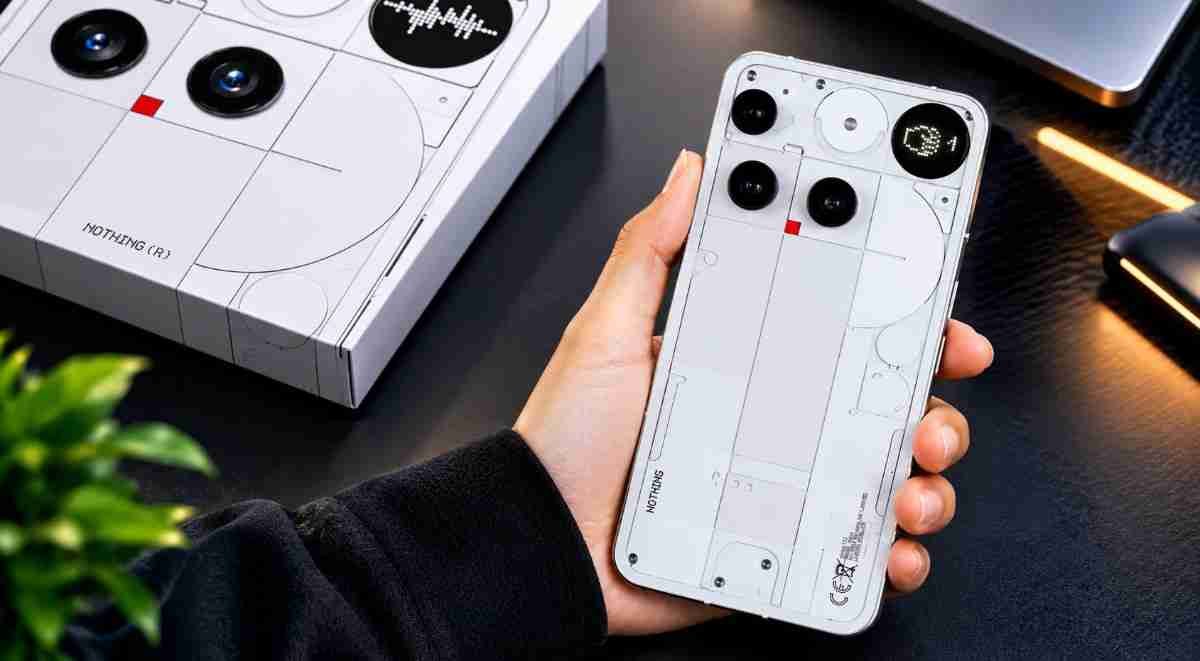
Why it’s number ten: Nothing has been slow to add AI editing features, but the Phone (3) finally got a proper on-device AI Eraser with Nothing OS 4.1 in August 2026. It removes unwanted objects, pedestrians and reflections entirely on-device — no cloud processing, no privacy concerns. AI Super Res Zoom improves zoomed shots up to 30x, and the Glyph Matrix can display pixel-art versions of your photos.
The camera hardware is a step behind the flagships on this list — the 50MP main sensor is good but not exceptional, and low-light performance trails the Pixel and Samsung. But at $799 in the US and ₹79,999 in India, the Phone (3) offers a genuinely useful AI eraser and a unique design that no other phone can match[reference:22]. This is the entry point for AI photo editing — not the destination.
Pros
- On-device AI Eraser — no cloud, no privacy trade-off
- AI Super Res Zoom up to 30x
- Unique Glyph Matrix design
- Clean Nothing OS software
- Affordable in both markets
Cons
- Camera hardware lags behind flagships
- Limited AI editing feature set
- No generative fill or outpainting
- Low-light photos are average
Sources: Beebom, TechSpot, Helpix (USA and India pricing).
Full Comparison Table: Price, Brand, Top AI Feature & Best For
The at-a-glance table above shows the score. This one shows the reasoning — what each phone’s headline AI feature actually is, what it costs in each market, and who it’s built for.
| Phone | Brand | USA Price | India Price | Top AI Feature | Best For |
|---|---|---|---|---|---|
| Samsung Galaxy S26 Ultra | Samsung | $1,299 | ₹1,39,999 | Photo Assist (generative fill, object move, sketch-to-image) | Overall AI editing |
| Google Pixel 11 Pro | $1,099 | ₹1,19,999 | Magic Editor + Reimagine (natural-language edits) | Software-first editing | |
| Xiaomi 17 Ultra | Xiaomi | Import only | ₹1,39,999 | HyperAI (eraser, expansion, Leica presets) | Hardware-first editing |
| OPPO Find X9 Ultra | OPPO | Import only | ₹1,69,999 | RAW-domain AI retouching + Hasselblad colour | Professional retouching |
| vivo X300 Pro | vivo | Not sold | ₹1,09,999 | AI Photo Enhance + ZEISS portrait rendering | Portrait editing |
| Huawei Pura 90s Pro Max | Huawei | ~$1,310 import | ~₹1,29,800 import | AI Composition 3.0 + AI De-Glare | Composition & glare removal |
| iPhone 17 Pro Max | Apple | $1,199 | ₹1,49,900 | Clean Up + Playground | Apple ecosystem simplicity |
| Honor Magic8 Pro | Honor | ~$1,190 import | ~₹93,500 import | AI Eraser, Outpainting, Colour, Cutout | Feature breadth for price |
| OnePlus 15 | OnePlus | $849.99 | ₹85,999 | AI Eraser + Detail Boost | Value & battery life |
| Nothing Phone (3) | Nothing | $799 | ₹79,999 | On-device AI Eraser + Super Res Zoom | Budget AI editing |
Prices as of October 2026. “Import only” indicates no official retail channel in that market; figures are typical landed costs, not MSRPs. Always verify current pricing before purchase.
Software Update Support: How Long Will Your AI Features Stay Current?
AI photo editing is software. A phone that stops receiving updates in two years will stop receiving new AI models, new editing tools and new camera improvements. If you’re paying flagship money for AI editing, update support is part of the value proposition — arguably the most important part after the first year.
| Phone | OS Upgrades | Security Updates | Estimated Support Until | Verdict |
|---|---|---|---|---|
| Samsung Galaxy S26 Ultra | 7 | 7 years | 2033 | Excellent — industry leader |
| Google Pixel 11 Pro | 7 | 7 years | 2033 | Excellent — industry leader |
| Honor Magic8 Pro | 7 | 7 years | 2033 | Excellent — matches Samsung/Google |
| Xiaomi 17 Ultra | 4 (typical) | 5 years (typical) | 2030–2031 | Average — shorter than leaders |
| OPPO Find X9 Ultra | 4–5 | 5 years | 2030–2031 | Average |
| vivo X300 Pro | 3–4 | 4–5 years | 2029–2030 | Below average for the price |
| Huawei Pura 90s Pro Max | 3–4 | 4–5 years | 2029–2030 | Below average; ecosystem uncertainty |
| iPhone 17 Pro Max | 6–7 (historical) | 7+ years (historical) | 2031–2032 | Very good — Apple supports old devices exceptionally well |
| OnePlus 15 | 4 | 6 years | 2030 (OS), 2032 (security) | Average OS, good security |
| Nothing Phone (3) | 3–4 | 5–6 years | 2029–2030 | Average — improving but not yet class-leading |
What this means for AI editing: A Samsung Galaxy S26 Ultra or Google Pixel 11 Pro bought today will still be receiving new AI editing features in 2032–2033. A vivo X300 Pro or Huawei Pura 90s Pro Max will likely stop receiving OS-level AI updates by 2029–2030. If you plan to keep your phone for five years or more, the update commitment should weigh heavily in your decision.
Update commitments sourced from CNMO’s 2026 software support roundup, Digit, and manufacturer announcements. Estimated support dates assume purchase at launch; actual support may vary by region and model variant.
AI Photo Editing Features Explained: Magic Editor vs Photo Assist vs Clean Up
Every brand has its own name for AI editing, and the names obscure real differences. Here’s what each major system actually does — and where each one wins and loses.
Google Magic Editor (Pixel and Google Photos)
What it is: Google’s flagship generative editor, available on Pixel phones and (in a limited form) in the Google Photos app on other devices. Magic Editor lets you move, resize and remove objects, and the Reimagine tool lets you describe a change in natural language and have the AI generate it.
Where it wins: Natural-language editing is still Google’s edge. The AI understands context — if you ask it to change the sky, it adjusts the lighting on the subject to match. ZDNET’s comparison found Magic Editor produced more realistic results than Apple’s Clean Up on challenging removals because it factors in the surroundings of the object being removed.
Where it loses: On complex generative fills, Pixel’s results can be slightly flat compared with Samsung’s. The hardware ceiling — a 50MP main sensor on the Pixel 11 Pro — limits how much detail the AI has to work with.
Samsung Photo Assist (Galaxy S26 Series)
What it is: Samsung’s umbrella term for its Galaxy AI editing toolkit — Generative Edit (object move, resize, remove), Sketch to Image, Portrait Studio, Instant Slow-mo and Audio Eraser. It runs on-device where possible and in the cloud for heavier generative tasks.
Where it wins: Breadth and generative fill quality. In 91mobiles’ test, the S26 Ultra was the only phone that could move an object, resize it, rotate it, and fill the gap convincingly — recreating a dotted pattern it had never seen. Sketch-to-image is also the best implementation of that feature on any phone.
Where it loses: Some features require cloud processing and a Samsung account. The interface can feel crowded, and not every tool is equally mature (Audio Eraser is useful; some Portrait Studio styles look artificial).
Apple Clean Up (iPhone 17 Pro Max)
What it is: Apple Intelligence’s object-removal tool, built into the Photos app. You tap or circle an unwanted object and Clean Up removes it and fills the background. Playground, powered by ChatGPT, can generate images from prompts but is a separate tool.
Where it wins: Simplicity and privacy. Clean Up is the easiest object eraser to access on any phone — it appears directly in the edit toolbar and automatically suggests objects to remove. Processing happens on-device, which matters for sensitive photos. ZDNET found it easier to use than Magic Editor and capable of realistic results on social-media-quality edits.
Where it loses: Capability. The iPhone cannot move objects within an image. Playground often generates generic AI images that bear little resemblance to the original photo. In 91mobiles’ test, the iPhone generated a completely new autumn scene instead of editing the original. If you want to rearrange a scene, Apple simply doesn’t offer the tool.
Quick Comparison: Which AI Editor Wins Which Task?
| Task | Winner | Runner-Up | Why |
|---|---|---|---|
| Object removal (simple) | Apple Clean Up | Google Magic Eraser | Fastest access, most consistent blending |
| Object removal (complex background) | Google Magic Editor | Samsung Photo Assist | Better scene-context awareness |
| Object move / resize | Samsung Photo Assist | — | Only system that does it convincingly |
| Generative fill | Samsung Photo Assist | Xiaomi HyperAI | Best texture and lighting matching |
| Natural-language editing | Google Magic Editor | Samsung Photo Assist | Most intuitive prompt understanding |
| Sketch-to-image | Samsung Photo Assist | — | Only phone with a mature implementation |
| Portrait retouching | vivo AI Photo Enhance | OPPO Hasselblad AI | Most natural skin texture preservation |
| Reflection / glare removal | Huawei AI De-Glare | vivo AI Reflection Erase | Preserves highlights while removing reflections |
AI Editing Performance by Scenario (Not Just by Phone)
Nobody edits “in general.” You edit a specific photo for a specific reason. This table maps real-world tasks to the phone that handles them best — because the ranking changes depending on what you’re doing.
| Scenario | Best Phone | Why It Wins | Runner-Up |
|---|---|---|---|
| Removing a photobomber from a landmark shot | Samsung Galaxy S26 Ultra | Generative fill matches background texture and perspective | Google Pixel 11 Pro |
| Fixing a backlit portrait at golden hour | Google Pixel 11 Pro | Magic Editor relighting respects skin tone and light direction | vivo X300 Pro |
| Expanding a cramped street shot | Xiaomi 17 Ultra | HyperAI expansion works from a 1-inch sensor source | Honor Magic8 Pro |
| Removing window glare from a travel photo | Huawei Pura 90s Pro Max | AI De-Glare preserves highlights while clearing reflections | vivo X300 Pro |
| Retouching a group portrait for social media | vivo X300 Pro | AI Photo Enhance keeps skin texture natural | OPPO Find X9 Ultra |
| Quick one-tap cleanup on the go | iPhone 17 Pro Max | Clean Up is the fastest path from photo to result | Nothing Phone (3) |
| Professional RAW retouching on-device | OPPO Find X9 Ultra | RAW-domain AI preserves detail before JPEG compression | Xiaomi 17 Ultra |
The takeaway: If you only edit one kind of photo, the best phone for you may not be the overall winner. A portrait shooter should buy vivo. A travel photographer who hates reflections should consider Huawei. A RAW workflow user should buy OPPO. The overall ranking rewards breadth; your use case may reward depth.
Regional Availability & Warranty Matrix
This is the table that saves cross-border buyers from expensive mistakes. Before you import a phone for its AI editing, check whether it’s actually sold in your market, whether the warranty transfers, and whether it supports your carrier’s 5G bands.
| Phone | Official US Retail | Official India Retail | Global Warranty | Key 5G Bands (India / US) |
|---|---|---|---|---|
| Samsung Galaxy S26 Ultra | Yes | Yes | Yes, region-limited | n78, B40 / mmWave, sub-6 |
| Google Pixel 11 Pro | Yes | Yes | Yes, region-limited | n78, B40 / sub-6 |
| Xiaomi 17 Ultra | No | Yes | India only | n78, B40 / sub-6 (import) |
| OPPO Find X9 Ultra | No | Yes | India only | n78, B40 / sub-6 (import) |
| vivo X300 Pro | No | Yes | India only | n78, B40 / sub-6 (import) |
| Huawei Pura 90s Pro Max | No | No | No | Limited / no Google services |
| iPhone 17 Pro Max | Yes | Yes | Yes, region-limited | n78, B40 / mmWave, sub-6 |
| Honor Magic8 Pro | No | No | No | Check before import |
| OnePlus 15 | Yes | Yes | Yes, region-limited | n78, B40 / sub-6 |
| Nothing Phone (3) | Yes | Yes | Yes, region-limited | n78, B40 / sub-6 |
Band support should always be verified against your carrier’s specific frequencies. India’s key bands are n78 (3.5GHz) and B40 (2.3GHz); US carriers rely heavily on sub-6 and mmWave. Warranty terms vary by manufacturer and retailer — “region-limited” means service may be refused outside the country of purchase.
USA vs India Buying Guide: Which Market Should You Buy From?
If you live in one market but travel to the other — or have family who can carry a phone — the price gap makes cross-border buying tempting. Here’s the honest math.
If you live in the USA
Buy locally. Every phone in the top five except the Xiaomi, OPPO and vivo is officially sold in the US with full warranty and carrier support. The OnePlus 15 at $849.99 and the Nothing Phone (3) at $799 are the value picks. If you want the Xiaomi 17 Ultra or OPPO Find X9 Ultra, you’ll pay import markup, get no US warranty, and may lose mmWave 5G support. For the vast majority of US buyers, the Galaxy S26 Ultra, Pixel 11 Pro or iPhone 17 Pro Max are the rational choices.
If you live in India
Buy locally unless the gap is enormous. The India premium is real — roughly 12–41% depending on the phone — but the OnePlus 15 and Nothing Phone (3) keep it near 12%, and both are fully supported locally. The iPhone 17 Pro Max is the one case where importing from the US or a low-tax market like Dubai or Singapore can save you a meaningful amount, because the ₹44,000 gap is larger than the cost of a round trip for most people. For everything else, the warranty and band-support risk outweighs the saving.
Importing to India? Know the costs. India charges 15–20% Basic Customs Duty on imported phones, plus 18% GST and a 10% Social Welfare Surcharge on the duty[reference:23]. That’s an effective landed cost of roughly 37–49% above the declared value[reference:24][reference:25]. A ₹1,00,000 phone declared honestly can land at ₹1,37,000–₹1,49,000 before you’ve paid for shipping. Many importers under-declare and risk seizure — not a strategy we recommend.
The NRI middle ground
If you split time between both countries, buy in the US and carry it to India — but check two things first: whether the model supports Indian 5G bands n78 and B40, and whether the manufacturer honours the warranty in India. Samsung, Google, Apple, OnePlus and Nothing generally do for globally purchased models, with regional caveats. Xiaomi, OPPO and vivo usually do not.
Which Phone Should You Buy? A Decision Guide
Rankings are useful, but the “best” phone for you depends on what you actually edit — and where you live. Use this decision tree to skip straight to the right answer.
| If this is you… | Buy this | Because |
|---|---|---|
| You want the most capable AI editor, full stop | Samsung Galaxy S26 Ultra | Best generative fill, object moving and sketch-to-image — no compromises |
| You edit mostly with words (“remove that”, “make it sunset”) | Google Pixel 11 Pro | Magic Editor + Reimagine are the best natural-language tools |
| You want the best raw photo quality before AI touches it | Xiaomi 17 Ultra (India) / import elsewhere | 1-inch Leica sensor + 200MP periscope give AI the best starting pixels |
| You retouch professionally or work with RAW | OPPO Find X9 Ultra (India) | RAW-domain AI retouching is unique to this phone |
| You edit portraits of people more than anything else | vivo X300 Pro (India) | ZEISS portrait rendering + AI Photo Enhance preserve skin texture |
| You want better framing and hate window reflections | Huawei Pura 90s Pro Max (import) | AI Composition 3.0 and AI De-Glare are genuinely ahead of rivals |
| You’re in the Apple ecosystem and value simplicity | iPhone 17 Pro Max | Clean Up is easy, private and good enough for social media |
| You want the most AI features for the price | Honor Magic8 Pro (import) | Eraser, Outpainting, Colour, Cutout and Enhancer — plus 7 years of updates |
| You want the best value and battery life | OnePlus 15 | 80% of the AI capability for 60% of the price, plus 7,300mAh |
| You want the cheapest phone with a real AI eraser | Nothing Phone (3) | On-device AI Eraser at $799 / ₹79,999 — no cloud, no privacy trade-off |
The one-question shortcut: If you only ask yourself one thing, ask this — do I edit photos to change the scene, or to improve the photo? If you change the scene (move objects, replace skies, generate elements), buy Samsung. If you improve the photo (clean up, relight, fix noise), buy Google or Apple. If you shoot portraits, buy vivo. If you want the best pixels to start from, buy Xiaomi. And if the price gap between your market and the US is the deciding factor, check the global pricing section before you commit.
Best AI Photo Editing Apps to Pair With These Phones
Every phone on this list has a built-in AI editor, but the built-in tools are not always the best tool for the job. These are the apps worth installing alongside your phone’s native editor — tested and rated as of 2026.
| App | Best For | Key AI Tools | Free Tier | Paid From | Pair With |
|---|---|---|---|---|---|
| Adobe Lightroom | RAW and pro workflow | Generative Remove, Adaptive Presets, Lens Blur | Basic edits | ~$9.99/mo | Xiaomi 17 Ultra, OPPO Find X9 Ultra |
| Snapseed | Free manual editing | One-tap masking, Healing, Expand | Full free forever | Free | Any phone — best free option |
| Remini | Portrait restoration | AI Enhance, AI Photos | Limited daily uses | ~$9.99/mo | vivo X300 Pro, iPhone 17 Pro Max |
| Picsart | Social-first edits | AI Enhance, Object Remover, AI Replace, AI Expand | Limited | ~$11.99/mo | OnePlus 15, Nothing Phone (3) |
| Luminar Mobile | Creative AI edits | Sky replacement, relight, Skin AI | Trial | ~$7.99/mo | Samsung Galaxy S26 Ultra |
| Google Photos | Everyday fixes | Magic Eraser, Unblur, Magic Editor, Help me edit | Magic Editor capped | $1.99/mo (storage) | Any Android; also works on iPhone |
| TouchRetouch | Wires and small objects | Erase AI, Line Removal, Mesh Removal | Paid app | ~$1.99/week | Any phone — best for precise small removals |
My pairing advice: Don’t install all seven. Install one all-rounder (Google Photos or Snapseed), one specialist for your main subject (Remini for portraits, Lightroom for RAW), and use your phone’s built-in editor for quick generative edits. Too many apps means too many subscription prompts and too many versions of the same photo.
App ratings and pricing from Unstore’s 2026 Android app test and The App Whisperer’s 2026 editor roundup. Prices vary by region and are subject to change.
Tips to Get Better AI Edits
AI editing is a skill, not a button. These habits consistently produce better results across every phone on this list.
1. Start with a good photo
AI can enhance a good photo. It cannot rescue a bad one. Shoot at the highest resolution your phone allows, keep the subject reasonably large in the frame, and avoid extreme digital zoom before editing. The 1-inch sensor on the Xiaomi 17 Ultra or the 200MP main on the Galaxy S26 Ultra gives the AI more to work with — but only if the shot itself is sharp.
2. Edit one change at a time
Stacking multiple generative edits in a single session compounds errors. If you remove an object, then replace the sky, then expand the frame, each step inherits the artefacts of the last. Do one edit, review it at 100% zoom, then do the next. This is also the advice AI researchers give for preserving facial identity: make one edit at a time and select small areas rather than issuing broad commands.
3. Save the original before you edit
Some AI tools replace the original file rather than creating a copy. Before you run any generative edit, duplicate the photo or export an untouched version. You will want to compare, and you may want to start over.
4. Use precise language
“Improve everything” produces over-processed mush. “Remove the bin on the left and keep the shadows on the wall” produces a clean edit. The more specific your instruction, the better the AI can preserve what you want to keep.
5. Back off the beauty sliders
AI beauty and portrait tools are tempting to max out. Don’t. Over-smoothed skin, enlarged eyes and reshaped jaws are the fastest way to make a photo look artificial. Adjust in small increments, and zoom in to check that skin texture survives. Natural texture is what separates a good portrait edit from a fake one.
6. Check the edges and the background
AI fills often fail at boundaries — the edge of a removed object, the join between a replaced sky and a building, the shadow under a moved subject. After every generative edit, zoom to 100% and inspect the seams. If the fill looks soft or repetitive, undo and try selecting a smaller area.
7. Use AI for correction, not reinvention
The best AI edits are invisible. Removing a photobomber, fixing a reflection, relighting a backlit face — these are corrections. Replacing the entire sky, generating a new background or changing someone’s identity are reinventions, and they are much easier to spot. Use AI to bring the photo closer to what you saw, not to create something you didn’t.
Common Mistakes to Avoid
Most bad AI edits are not the AI’s fault. They are user errors. Here are the ones I see most often — and how to avoid them.
| Mistake | Why It Ruins the Edit | Fix |
|---|---|---|
| Maxing out beauty and HDR sliders | Produces plastic skin, halos and unnatural contrast | Make small adjustments; check at 100% zoom; prioritise natural texture |
| Editing a low-resolution or heavily zoomed photo | AI has too few pixels to generate convincing detail | Shoot at full resolution; avoid digital zoom beyond 3x before editing |
| Stacking many generative edits at once | Each edit inherits and amplifies the last one’s artefacts | One change at a time; review and save between steps |
| Using vague prompts | “Improve everything” over-processes the whole image | Be specific about what to change and what to keep |
| Not saving the original | Some apps overwrite the file; you lose the ability to revert | Duplicate the photo before editing |
| Ignoring edge artefacts | Soft or repetitive fills at object boundaries are the tell-tale sign of AI | Zoom to 100% and inspect seams; undo and retry with a smaller selection |
| Using AI to change identity | Altered faces look uncanny and can misrepresent people | Preserve facial structure; edit lighting and cleanup, not features |
| Assuming more AI features = better phone | A long feature list with weak execution is worse than a short list that works | Prioritise execution quality; read hands-on tests, not spec sheets |
| Importing a phone without checking bands or warranty | You save money upfront and lose it on repairs or unusable 5G | Check n78/B40 support and global warranty terms before importing |
The meta-mistake: Buying a phone for its AI editing feature list without checking whether those features work on your photos — and whether the price in your market makes sense. A phone that excels at landscape generative fill may be mediocre at portrait retouching. A phone that’s a bargain in the US may be a poor deal in India. Match the tool to the job and the price to your market — that’s what the decision guide and global pricing sections are for.
Final Verdict: Which AI Photo Editing Phone Should You Buy?
Buy the Samsung Galaxy S26 Ultra if:
- You want the most capable AI editing suite available
- You edit objects, fill backgrounds and generate scenes regularly
- You value a 200MP main sensor and 5x periscope
- You’re willing to pay flagship money — and want 7 years of updates
Buy the Google Pixel 11 Pro if:
- You want the smartest AI software in a compact body
- You prefer natural-language editing over manual tools
- You value computational photography over raw sensor size
- You want 7 years of guaranteed updates and a smaller India premium
For most people, the Samsung Galaxy S26 Ultra is the safest choice. It has the most complete AI editing toolset, the best generative fill performance, and camera hardware that gives the AI plenty to work with. At $1,299 in the US and ₹1,39,999 in India, it’s expensive — but if AI photo editing is a priority, it’s the phone that delivers the fewest compromises. The seven-year update commitment means the AI features you buy today will keep improving through 2033.
If you’re a photographer first and an AI user second, the Xiaomi 17 Ultra or OPPO Find X9 Ultra will serve you better. Their camera hardware is superior, and their AI tools — while less polished than Samsung’s — are more than capable for professional workflows. Just accept that both are India-first products with no official US channel, and their software support is shorter than Samsung’s or Google’s.
If you’re on a budget, the OnePlus 15 at $849.99 / ₹85,999 is the smart pick. It gives you 80% of the AI editing capability for 60% of the price, plus the best battery life on this list. The Nothing Phone (3) at $799 / ₹79,999 is a solid alternative if privacy and on-device processing matter more to you than raw feature count — but be honest with yourself about what you’re giving up in camera quality and generative tools.
And if you’re an iPhone user? The iPhone 17 Pro Max is still a phenomenal camera phone, and Clean Up is the easiest AI eraser to use on any device. But its generative editing tools are the weakest of any flagship on this list, and it carries the largest India–US price gap of any phone here — roughly ₹44,000. Buy it for the ecosystem, the video quality and the hardware — not for the AI. If AI editing is your priority, the Pixel 11 Pro does more, in a smaller body, for less money in both markets.
The bottom line: There is no single “best” AI photo editing phone — there is only the best phone for the kind of editing you actually do, at a price that makes sense in your market. The Galaxy S26 Ultra wins overall because it is strong at everything. But if you know your use case and your budget, the decision guide and the USA vs India tables above will point you to a phone that fits it better — often for less money.
Frequently Asked Questions
The Samsung Galaxy S26 Ultra ranks first overall thanks to its Photo Assist suite — object moving, generative fill, sketch-to-image and Audio Eraser all work reliably. Google’s Pixel 11 Pro is a close second for pure AI-driven computational editing, while Xiaomi’s 17 Ultra offers the best camera hardware foundation for AI retouching.
It depends on the task. Pixel’s Magic Editor and Reimagine tools excel at natural-language edits and computational photography. Samsung’s Photo Assist is stronger at object manipulation, generative fill and sketch-to-image generation. In head-to-head tests, Samsung handled complex generative fills more convincingly, while Pixel remained more consistent for everyday photo cleanup.
Not necessarily. Phones like the OnePlus 15 and Nothing Phone (3) offer capable AI erasers and enhancement tools at much lower prices. However, flagship devices have faster NPUs, larger image sensors and more advanced generative models that produce cleaner, more realistic results — especially for object removal, outpainting and low-light recovery.
The OnePlus 15 at $849.99 offers the best balance of AI editing tools, battery life and camera hardware under $1,000. The Nothing Phone (3) at $799 is a strong budget alternative with on-device AI Eraser and AI Super Res Zoom. Google’s Pixel 11 at $899 is another excellent option if pure AI software is your priority.
For social media, quick fixes and everyday photography, yes — modern AI editors can remove objects, relight scenes, expand backgrounds and retouch portraits convincingly. For professional retouching, colour grading and print work, desktop software like Lightroom, Photoshop and Capture One still offer far more control and precision.
The vivo X300 Pro is the strongest choice for AI portrait editing, thanks to its 200MP ZEISS APO telephoto, dedicated VS1 and V3+ imaging chips, and AI Photo Enhance tools that preserve skin texture while cleaning up noise and reflections. The OPPO Find X9 Ultra and Xiaomi 17 Ultra are close competitors for portrait work.
Yes, but it lags behind Samsung and Google in generative editing. Apple Intelligence offers Clean Up, Playground (powered by ChatGPT) and Center Stage, but the iPhone still cannot move objects within an image or perform sketch-to-image generation. It is best for users already inside the Apple ecosystem who value simplicity and privacy over raw AI feature count.
Prioritise generative object removal and fill, object moving and resizing, background expansion (outpainting), AI relighting, reflection removal, sketch-to-image, natural-language editing prompts, and on-device processing for privacy. A fast NPU and a large, high-quality image sensor matter just as much as the software feature list.
The gap comes from three stacked costs: Basic Customs Duty of 15–20% on imported phones, 18% GST, and distributor margins. For example, the iPhone 17 Pro Max costs $1,199 in the US but ₹1,49,900 in India — a gap of roughly ₹44,000. The Samsung Galaxy S26 Ultra is $1,299 in the US versus ₹1,39,999 in India. The OnePlus 15 and Nothing Phone (3) have the smallest premiums at roughly 12%.
It is legal but carries real risks. Imported phones usually have no local warranty, may lack support for Indian 5G bands n78 and B40 or US mmWave bands, and can attract 15–20% customs duty plus 18% GST on arrival in India. Always check band support and warranty terms before importing — and remember that under-declaring to reduce duty risks seizure.
Read More: