

The top AI features in smartphones 2026 go far beyond chatbots. Modern phones can understand what is on the screen, translate a live call, repair a spoiled photo, summarize a recording, warn about scams and manage power without making the user dig through settings.
However, “AI phone” is not a technical standard. A premium device may run several advanced features locally, while an affordable model may offer a smaller set through cloud services. The useful question is not whether a phone has AI, but which AI tools work reliably, privately and in the languages you use.
This guide explains the 12 smartphone AI features that matter most, how they work and what to verify before paying extra for them. If you are already comparing models, PhonePrice360’s AI smartphone buying guide for 2026 provides a deeper hardware and software checklist.
What AI features do new smartphones have in 2026?
Most new smartphones in 2026 combine AI-assisted photography, visual search, voice assistance, translation, writing support, call tools, security and adaptive performance. The exact mix depends on the processor, operating system, manufacturer, price and region.
Here is the quick version before we examine each feature:
| AI feature | What it does | Most useful for |
|---|---|---|
| Context-aware assistant | Understands voice, text, the screen and camera | Planning and everyday questions |
| Visual search | Searches an object or text without leaving an app | Shopping, learning and travel |
| Live translation | Translates calls, messages or conversations | Travel and multilingual communication |
| Computational camera | Improves exposure, colour, focus and detail | Better photos with less effort |
| Generative photo editing | Removes, moves or creates image content | Fixing distractions and reframing shots |
| Writing and summaries | Rewrites text and condenses notes or recordings | Work, study and communication |
| AI call tools | Screens, transcribes and summarizes calls | Reducing missed context and interruptions |
| Scam detection | Identifies suspicious patterns in calls or messages | Safer everyday phone use |
| Adaptive battery and performance | Learns usage and allocates resources | Longer battery life and smoother operation |
| Proactive personalization | Surfaces information before it is requested | Reminders, travel and daily routines |
| AI accessibility | Describes, captions and simplifies content | Users with visual, hearing or reading needs |
| On-device AI | Processes selected tasks locally | Speed, privacy and offline use |
One important reality sits behind the table: a feature name alone proves very little. Samsung explicitly says Galaxy AI availability varies by device, operating system and region, so buyers should verify the exact model rather than assume that every phone from a brand has the complete suite.
1. How do context-aware AI assistants help?
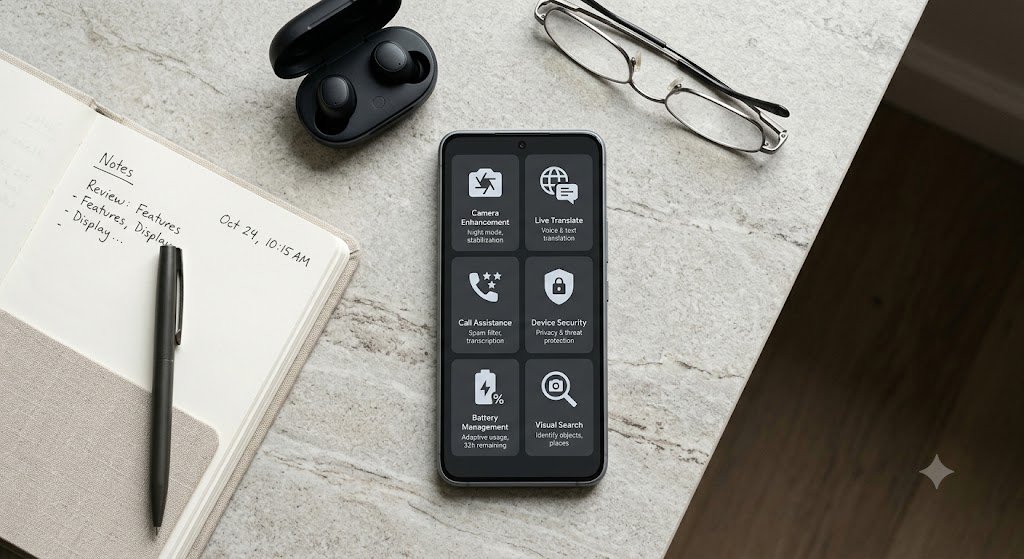
A context-aware assistant can understand more than a spoken command. It can use text, an image, a document, the current screen or a live camera view to answer a question and help complete a task.
This is the clearest difference between a traditional voice assistant and a 2026 AI assistant. Instead of memorizing a rigid phrase, you can ask a natural follow-up such as, “Which of these ingredients could cause an allergy?” while showing the phone a food label.
Google says Gemini on Android can use screen content as context and that Gemini Live supports real-time conversations with camera or screen sharing. It can also work with services such as Gmail and Maps for tasks like creating lists and setting reminders.
That convenience comes with a sensible warning. Review which apps the assistant can access, check whether a request is processed on the phone or in the cloud, and confirm important outputs before acting on them. An assistant can save time, but it should not become an automatic decision-maker for money, health or security.
2. Why is visual search becoming essential?

Visual search lets you identify or research something already visible on the display or through the camera. It removes the awkward step of describing an unfamiliar shoe, plant, landmark or error message in a search box.
On supported Android phones, Circle to Search can search a selected object without switching apps. Google also lists on-screen translation, informative summaries, suspicious-text analysis and music recognition among its uses.
Apple and other manufacturers offer comparable visual-intelligence tools, although the controls and supported actions differ. In daily use, the best implementation is the one that feels built into the operating system rather than added as a separate app.
Before buying, test or verify three details: whether visual search works from any app, whether it understands both text and objects, and whether the feature is available in your country. A flashy launch demo is less useful if the tool supports only selected apps or languages.
3. Does real-time AI translation really work?

Real-time translation can convert messages, captions, face-to-face speech and phone calls between supported languages. It is genuinely helpful for travel, customer support, international work and families who communicate across languages.
The leading platforms now integrate translation into core communication tools. Apple says Apple Intelligence can translate Messages, display translated FaceTime captions and provide spoken translations in the Phone app and through compatible AirPods. Samsung’s Live Translate covers calls, conversations and text on supported Galaxy devices.
Language support is improving, but it is not universal. As of July 2026, Samsung lists 41 languages for Photo Assist, Creative Studio and Writing Assist, while Call Assist, Note Assist, Interpreter and Transcript Assist support 22 languages. The company also warns that availability varies by model and region.
For buyers in Nepal, this distinction matters. Do not treat “supports translation” as proof that Nepali is available in every mode. Check the manufacturer’s current language list for calls, text, offline packs and the precise phone model you intend to buy.
4. What does AI do before you take a photo?

Camera AI analyzes a scene and improves the image during capture. It can recognize faces and backgrounds, balance exposure, reduce noise, combine multiple frames, enhance focus and preserve detail in difficult light.
This is computational photography, and it is often more valuable than a spectacular megapixel number. Qualcomm explains that an AI image signal processor can use real-time semantic segmentation to recognize and optimize different elements of a photo or video, including the subject and background.
The result is visible in features such as night modes, HDR, portrait separation, skin-tone processing, motion capture and digital zoom enhancement. Two phones with similar camera hardware can therefore produce very different results because their image-processing pipelines make different choices.
AI cannot create light that the sensor never captured, and aggressive processing can make textures or faces look unnatural. Readers who care about photography should compare full-resolution samples and use PhonePrice360’s guide to the best AI camera smartphones in 2026 rather than judging a camera by its specification sheet alone.
5. How useful is generative photo editing?

Generative photo editing can remove unwanted objects, move a subject, expand a frame or create missing pixels around an altered area. It turns edits that once required desktop software into a few taps on a phone.
Apple’s current tools include Clean Up for distractions, Extend for expanding a shot and Spatial Reframing for changing composition after capture. Google, Samsung and several Android manufacturers provide their own versions of object removal, background generation and reflection cleanup.
The feature is brilliant when a stranger walks through a family photo or a crooked composition needs more space. It is less trustworthy when it invents important details, changes a documentary image or produces a result that looks convincing but never existed.
Check whether edited images carry metadata or a visible indicator, whether processing requires an internet connection and whether the brand limits resolution. Also preserve the original file. AI editing should provide a second option, not erase the only authentic copy of the moment.
6. Can AI improve writing, notes and recordings?

Writing AI can draft, proofread, rewrite or change the tone of text, while summarization tools condense long notes, webpages, notifications and recordings. These features are most valuable when they remove repetitive work without removing the user’s judgment.
A student might turn a lecture recording into a structured outline. A professional might summarize meeting notes, make a message more concise or extract tasks from a transcript. Apple’s current Writing features can generate a draft, give feedback and adapt style or tone; Samsung offers Writing Assist, Note Assist and Transcript Assist on supported devices.
Accuracy still depends on clear audio, language support and context. Names, figures, dates and technical terms are common failure points, so a generated summary should be checked against the source before it is shared.
Privacy matters too. Confirm whether recordings and documents remain on the phone, are uploaded for processing or are retained by a service. Sensitive workplace, legal, financial or medical material deserves more caution than an ordinary shopping list.
7. What can AI do during a phone call?

AI call tools can screen an unknown caller, display a live transcript, reduce background noise, take notes and summarize the conversation. They make calls easier to manage when you are in a noisy place, cannot answer immediately or need a reliable reminder of what was discussed.
Samsung’s Galaxy S26 call screening, for example, can connect to a caller and show a live transcription while the recipient decides whether to accept or reject the call. Apple’s Call Context can surface relevant information from other apps during certain business calls, such as a confirmation code from an email.
These tools can be especially helpful for accessibility, but local laws and social expectations still apply. Recording or transcribing a call may require notification or consent, depending on the country and situation.
Buyers should also separate call screening from call recording. A phone may identify the caller’s purpose without saving the entire conversation, while another feature may create a stored transcript. Check the settings and retention options before relying on either.
8. How does AI protect users from scams?

AI-powered protection looks for patterns associated with fraudulent calls, messages, links and screen-sharing behaviour. In 2026, this is one of the most practical AI features because it can intervene while an attack is happening, not merely after a complaint.
On supported devices, scam detection may flag suspicious language, unusual payment instructions or a text that imitates a trusted company. Circle to Search can help identify warning signs in a suspicious message, while newer Android call protection can provide real-time audio, vibration and visual warnings when conversation patterns suggest fraud.
No AI system catches every scam, and a warning is not proof that a caller is guilty. Equally, the absence of a warning does not make a request safe. Never share a one-time password, banking PIN or screen-control access because a caller sounds urgent or knows personal details.
Availability is highly model- and region-dependent, so verify it in the official support pages. Security updates are just as important as clever detection; PhonePrice360’s list of phones with seven years of software updates can help readers compare longer support promises.
9. Does AI really improve battery life and performance?

AI can improve efficiency by learning which apps, networks and performance levels a user needs at different times. It may restrict rarely used background apps, anticipate heavy tasks, adjust thermal limits and balance processor resources.
This does not mean AI can turn a small battery into a two-day battery. Screen brightness, signal strength, gaming, camera use, battery capacity and software quality still determine real endurance.
The strongest AI hardware can also reduce the cost of running machine-learning tasks. A dedicated neural processing unit handles suitable workloads more efficiently than forcing the main CPU or graphics processor to do everything.
Look for independent battery tests, not a vague “AI battery” label. Adaptive power management is useful, but charging speed, battery health controls and the manufacturer’s replacement policy may matter more over several years.
10. What is proactive personalization?
Proactive AI surfaces useful information before the user searches for it. It can prioritize notifications, suggest a route, recall a booking detail or assemble a brief around the next event.
This is where smartphones start moving from reactive chat to context-aware assistance. Samsung’s Notification Highlights can prioritize and summarize important alerts, while Apple’s Call Context can surface relevant information during supported business calls.
The tradeoff is access. A system can personalize more effectively when it sees more calendar events, messages, location history or app activity, but not every user will want that level of integration.
Choose a platform that explains its permissions and lets you disable individual features. Useful personalization should feel like a well-timed reminder, not a stranger reading over your shoulder.
11. How is AI improving smartphone accessibility?
AI accessibility tools can describe images and surroundings, generate captions, improve dictation, clean up complex text and accept more natural voice commands. These are not bonus features; they can change whether a device is practical for someone with visual, hearing, motor or cognitive needs.
Apple says VoiceOver can provide richer descriptions of physical surroundings and on-screen content, while Magnifier lets users ask about objects in the camera frame. Its Accessibility Reader can simplify presentation, and more flexible Voice Control reduces the need to memorize exact labels.
Android devices also combine live captions, voice access, sound recognition and visual assistance, but support varies across versions and brands. Anyone buying for a specific accessibility need should test that exact device with the user’s apps, language, hearing equipment or other accessories.
The best accessibility feature is reliable, quick to activate and available offline when necessary. A long list on a product page is not a substitute for a real setup test.
12. Why does on-device AI matter?
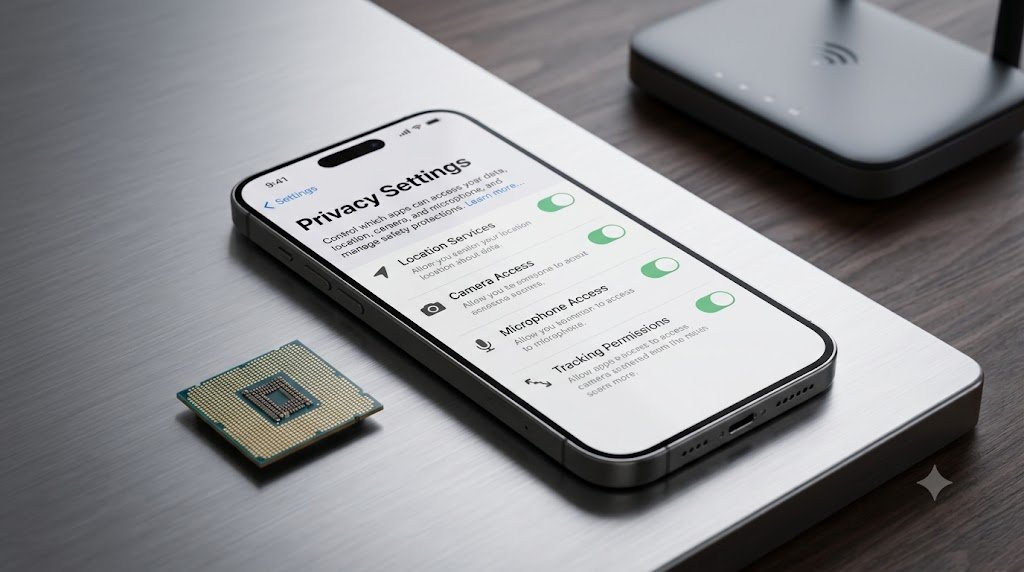
On-device AI runs selected models directly on the smartphone instead of sending every request to a remote server. It can reduce delay, keep some data local and allow supported features to work without a network connection.
Qualcomm’s explanation of smartphone AI highlights privacy, lower latency and responsive real-time photo enhancement as benefits of local processing. Apple says its system combines on-device processing with Private Cloud Compute for more complex requests, while Samsung lets users choose local-only processing for some Galaxy AI functions.
Local does not automatically mean private in every situation, and “AI-powered” does not automatically mean local. A feature may analyze part of a task on the phone and send another part to the cloud.
Before purchase, ask four questions: Does the feature work offline? What data leaves the phone? Can cloud processing be disabled? Does switching it off reduce capability? Those answers reveal more than an NPU benchmark alone.
Which AI smartphone features are worth paying for?

The best AI feature is one that solves a frequent problem with fewer taps and a predictable result. For most people, camera processing, visual search, scam protection, translation and reliable transcription deliver more value than novelty image generators.
Priorities change with the user:
| Type of buyer | AI features to prioritize | What to check |
| Student | Recording summaries, visual search, writing support | Accuracy, language support and school policy |
| Traveller | Live translation, visual search, offline AI | Offline language packs and regional availability |
| Photographer | Computational camera, object removal, reframing | Natural processing, full resolution and original-file retention |
| Professional | Call transcripts, summaries, context-aware assistant | Data handling and business-account restrictions |
| Older user or family buyer | Scam detection, call screening, clear voice tools | Simple controls, local language and update support |
| Accessibility-focused buyer | Captions, scene description, voice control | Hands-on compatibility with individual needs |
| Gamer | Adaptive performance, thermal control, noise removal | Sustained frame rate and battery tests, not AI branding |
Do not pay a large premium merely for an AI label. Compare the exact feature list, free-versus-paid terms, update promise and local availability, then check current options in the PhonePrice360 phone price list.
What should you check before buying an AI smartphone?

Verify features on the exact model, not just the brand’s flagship presentation. A useful AI phone needs capable hardware, well-integrated software, clear privacy controls and long enough support to receive future improvements.
Use this checklist:
- Confirm which advertised features work on the exact storage and RAM variant.
- Check support for your country, carrier and preferred languages.
- Separate on-device functions from cloud-only features.
- Find out whether any AI tools require a subscription now or later.
- Review microphone, photo, message, location and app-access permissions.
- Check whether call recording or transcription is legal for your use.
- Prefer a long operating-system and security-update promise.
- Read independent camera, battery and performance tests.
- Keep original copies when using generative photo editing.
- Compare the final price with a non-AI-focused phone that meets the same core needs.
The phrase “every new smartphone offers AI” is broadly true at the marketing level, but the quality gap is enormous. A good purchase comes from choosing two or three AI functions you will use every week and verifying them carefully.
Frequently asked questions about AI smartphone features
What are the top AI features in smartphones in 2026?
The top AI features in smartphones 2026 are context-aware assistants, visual search, live translation, computational photography, generative editing, writing and recording summaries, call screening, scam detection, adaptive performance, proactive suggestions, accessibility tools and on-device processing.
Not every feature is available on every phone. Support depends on the device, chipset, software version, language, account and country.
Do all new smartphones have AI features?
Almost all new smartphones use some machine learning in areas such as camera processing, battery management, voice input or security. However, affordable models may not include advanced on-device generative AI, live call translation or full assistant integration.
Check the specific product page and support documentation before buying. A brand’s AI-suite name does not guarantee identical features across its whole range.
Can smartphone AI work without the internet?
Some smartphone AI works offline, including selected camera processing, dictation, translation packs and security functions. More demanding assistants, generative editing and current-information requests may require cloud processing and an internet connection.
Manufacturers increasingly use a hybrid approach. A task may begin on the phone and move to a protected cloud service when the local model cannot complete it.
Are AI smartphone features free?
Many built-in AI tools are free with the phone, but some advanced or third-party services can require an account, data connection or paid plan. Samsung, for example, says its basic Galaxy AI features are free while enhanced Samsung or third-party features may have different terms.
Read the current service terms instead of assuming a launch offer will last for the life of the phone.
Is on-device AI safer than cloud AI?
On-device AI can improve privacy because selected inputs stay on the phone, and it can work with lower delay or without internet access. It is not automatically risk-free: local apps still need permissions, stored outputs can contain sensitive information and some features use a mixture of local and cloud processing.
The safest choice provides transparent controls, strong device security and a clear explanation of what data leaves the phone.
Final verdict: Which smartphone AI features matter most?
The most valuable smartphone AI features in 2026 are the quiet ones that save time or reduce risk every day. Better camera processing, fast visual search, accurate translation, useful summaries, scam warnings and thoughtful accessibility deliver more lasting value than a long list of party tricks.
Buy for the feature you can verify, not the promise printed beside an AI logo. Confirm regional and language support, understand where processing happens and choose a phone with a strong update policy. That is how AI becomes a practical reason to upgrade instead of an expensive sticker.










1 thought on “Top AI Features in Smartphones 2026: 12 Every New Phone Should Have”