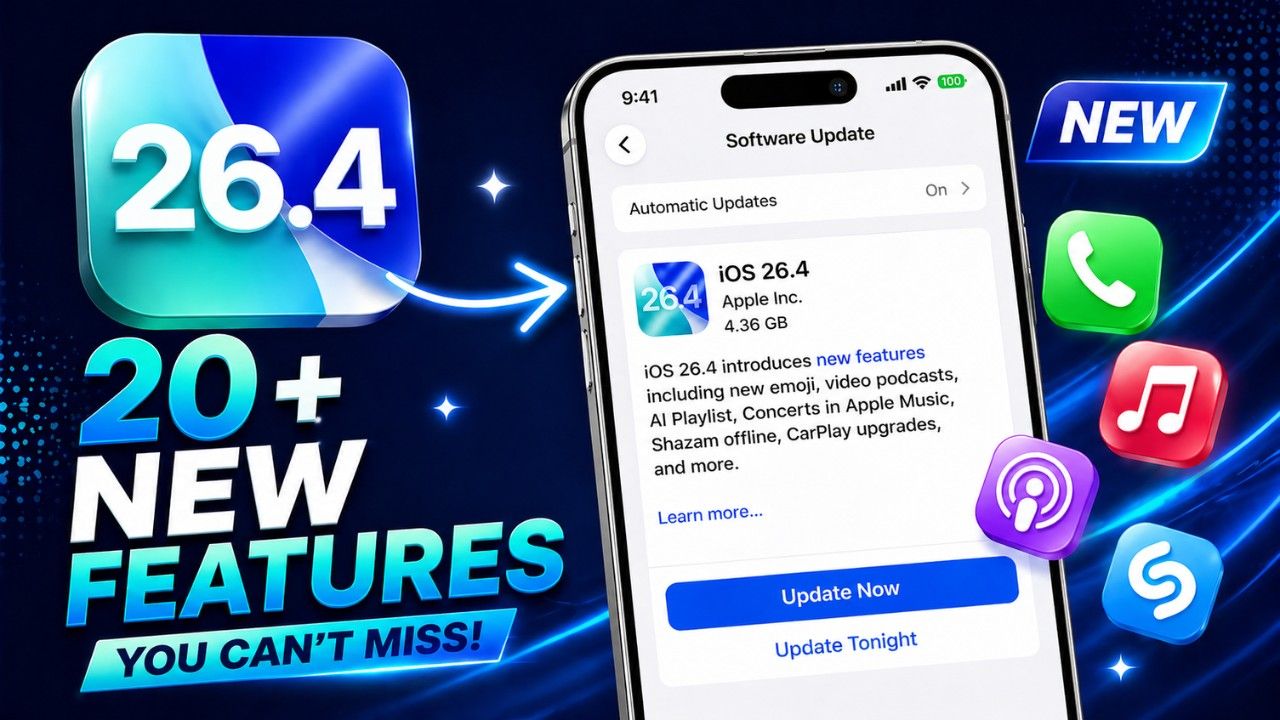
iOS 26.4 – All New Features and Changes Explained (2026)
Quick Answer: iOS 26.4 brings 20+ new features including Stolen Device Protection enabled by default, AI-generated playlists, native video podcasts, offline Shazam request saving, and major Apple Music upgrades. If you are on a supported iPhone, this update deserves your immediate attention.
Apple does not throw press conferences for point updates. iOS 26.4 landed on March 24, 2026 without a keynote, without a countdown, and with a release notes page most people close in three seconds. That is their loss.
Because this update quietly fixes some of the most persistent iPhone annoyances and ships features that change how you use your phone every single day.
The Siri overhaul everyone wanted did not make it. MacRumors confirmed Apple pulled those features due to accuracy issues, moving them to iOS 27 this fall. Fine. What iOS 26.4 actually delivers more than makes up for the wait.
Quick Overview: What Is New in iOS 26.4
| Feature | Category | Who Benefits | Status |
|---|---|---|---|
| Stolen Device Protection On By Default | Security | All iPhone users | Live Now |
| Playlist Playground (AI Playlists) | Apple Music | Subscribers | Beta |
| Concerts Near You | Apple Music | Subscribers | Live Now |
| Video Podcasts | Podcasts | All users | Live Now |
| Offline Shazam Request Save | Shazam | All users | Live Now |
| CarPlay AI Chatbots | CarPlay | CarPlay users | Live Now |
| Average Bedtime Tracking | Health | All users | Live Now |
| 8 New Emoji (Unicode 17.0) | System | All users | Live Now |
| Enhanced Siri | Siri | All users | Delayed to iOS 27 |
| RCS End-to-End Encryption | Messages | All users | Moved to iOS 26.5 |
Top 5 iOS 26.4 Features You Should Try First
Before anything else, these five features deserve your attention immediately after updating. Everything else can wait.
1. Stolen Device Protection — Now On By Default The single most important security improvement Apple has shipped in years. It is now active automatically.
2. AI Playlist Playground Describe a mood. Apple Music builds a full playlist. Yes, it actually works.
3. Video Podcasts Apple Podcasts finally supports native video playback. With offline downloads.
4. Offline Shazam Shazam no longer forgets your request when you lose signal. It saves and delivers later.
5. CarPlay AI Integration ChatGPT, Claude, and Google Gemini can now run hands-free through your car’s display.
Start with these five. Then come back and read the rest.
How to Install iOS 26.4
Go to Settings, tap General, then Software Update, and hit Update Now. Connect to Wi-Fi and keep your charger plugged in if your battery is under 50 percent. The download takes a few minutes on a decent connection.
According to Apple’s official support page, iOS 26.4 runs on all iPhones compatible with iOS 26 — from the iPhone SE (2nd generation) and iPhone 11 all the way through the full iPhone 17 lineup.
| Device Group | iOS 26.4 Support | Apple Intelligence |
|---|---|---|
| iPhone SE (2nd gen), iPhone 11 to 14 series | Supported | Not available |
| iPhone 15 Pro and Pro Max | Supported | Available |
| iPhone 16 and 17 (all models) | Supported | Available |
Apple Intelligence features require an iPhone 15 Pro or newer. Everything else in this article works on all supported devices.
iOS 26.4: Before vs After
This table tells the whole story of what actually changed.
| Feature | Before iOS 26.4 | After iOS 26.4 |
|---|---|---|
| Stolen Device Protection | Optional, most users never turned it on | Enabled by default for all eligible iPhones |
| Shazam offline | Fails silently, request lost forever | Saves request, identifies song when reconnected |
| Apple Podcasts | Audio only | Native video playback with offline download support |
| CarPlay AI | Siri only | ChatGPT, Claude, Gemini supported hands-free |
| Family Sharing payment | Every adult’s purchase billed to organiser’s card | Adults can use their own payment method |
| Bedtime tracking | Only tracked average sleep duration | Now also tracks average bedtime over 14 days |
| Liquid Glass effects | No accessibility controls | Reduce Bright Effects toggle added |
| Podcast subtitles | Limited in-app styling | Style picker inside the media player |
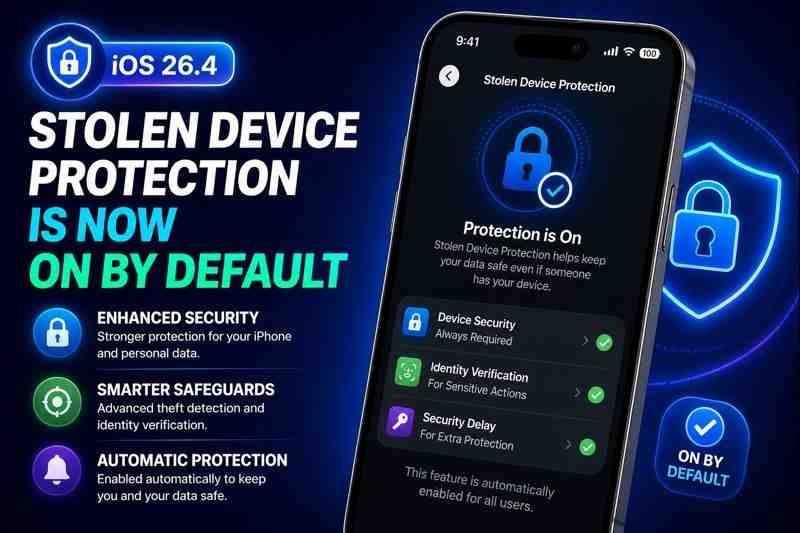
Stolen Device Protection Is Now On By Default
Most users will completely miss this — and they should not.
Apple introduced Stolen Device Protection in iOS 17.3 in January 2024. It was opt-in. Predictably, most users never switched it on. iOS 26.4 finally corrects that mistake by activating it automatically for every iPhone with Two-Factor Authentication enabled.
Here is what it actually does. When your iPhone detects it is away from a known location, it locks down sensitive actions. Accessing saved passwords, payment cards, and disabling Lost Mode all require Face ID or Touch ID. No passcode workaround. For critical actions like changing your Apple Account password, it adds a mandatory one-hour security delay on top of that.
As TechRadar explains, this feature directly targets a documented theft pattern where criminals watched victims type their passcode before grabbing the phone. With Stolen Device Protection active, that strategy stops working.
One thing to check right now: if Two-Factor Authentication is off on your device, this feature will not activate after updating. Go to Settings, tap your name, then Password and Security to confirm it is on.
This is where things get genuinely interesting.
Apple Music Gets Three Major Upgrades
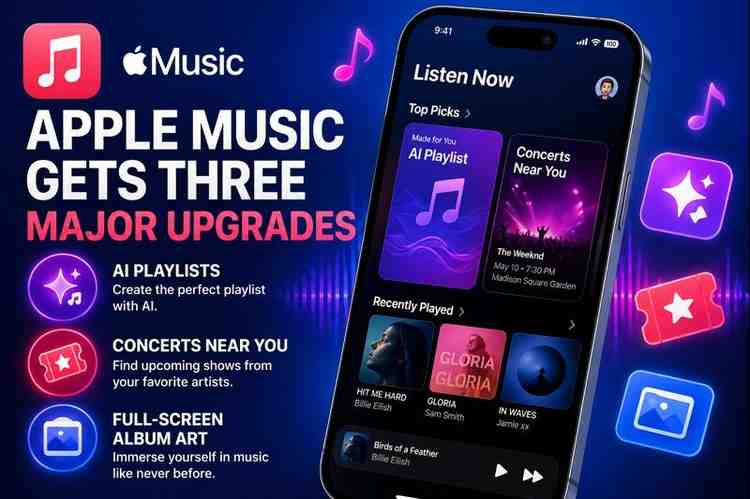
Apple Music did not receive one new feature in iOS 26.4. It received several — and if you pay for the subscription, these justify the cost better than anything in recent memory.
Playlist Playground: AI Builds Your Playlist
Type “Sunday morning coffee in the rain” and see what the system builds. Playlist Playground is Apple Music’s new AI-powered beta feature that generates a complete playlist from a text prompt — title, full tracklist, and description included.
Apple tags it as beta for a reason. Results occasionally surprise you in ways you did not ask for. But the concept is genuinely useful and the execution lands better than expected for a first release. Open Apple Music, go to Library, and tap the new icon at the top — a plus sign with lines next to it. According to AppleInsider, Playlist Playground is currently US English only.
Concerts Near You: No More Missed Shows
You have probably discovered a favourite artist played your city only after tickets sold out. The new Concerts section in Apple Music fixes exactly that.
Tap the search icon at the bottom of the app. Apple surfaces upcoming shows from artists in your library and recommends concerts based on listening history. Each listing includes the date, time, venue, and a direct link to buy tickets. This should have existed two years ago.
Full-Screen Album Backgrounds and a Music Profile
Now Playing shows full-screen immersive backgrounds for albums and playlists. Apple also added a Music Profile — a name and photo that appears when you listen to music near someone else. Small addition. Thoughtful one.
Video Podcasts Finally Come to Apple Podcasts
Small feature. Enormous impact on how you use the app.
Apple Podcasts now supports native video podcast playback with HLS streaming. If an episode has video, a small video player icon appears on its title card. Open the media player, tap Turn Video On near the progress bar, and the artwork switches to video. Tap Turn Video Off to go back to audio.
As 9to5Mac notes in their iOS 26.4 breakdown, video episodes also support offline downloads. Download them, watch without internet. That makes Apple Podcasts a serious competitor in a space where video podcasting has been growing fast through 2025 and 2026.
Most users will completely miss the next one.
Offline Shazam Now Saves Your Request
Shazam used to do one of the most frustrating things an app can do: fail silently. No internet, no song name, no trace that you even tried. Gone.
iOS 26.4 fixes one of the most annoying iPhone problems hiding in plain sight. The app now saves your identification request while offline and delivers the result automatically the moment your phone reconnects. Shazam still needs a connection to make the actual match — that part has not changed. But your request no longer disappears because you were underground or in a lift for thirty seconds.
CarPlay Gets AI Chatbots and Ambient Music
iOS 26.4 opens CarPlay to third-party AI voice apps. Once developers update their apps with CarPlay support, you can run ChatGPT, Claude, and Google Gemini hands-free through your car’s display.
These apps handle conversations and information. They do not control iPhone functions or car features — Siri still owns that lane. But for a long drive where you want to ask detailed questions or think through a problem out loud, having a capable AI voice assistant through CarPlay is a meaningful step forward from what was available before.
CarPlay also gets the Ambient Music widget, giving drivers one-tap access to Apple’s Sleep, Chill, Productivity, and Wellbeing playlists from the dashboard. Simple addition. Very practical.
Apple Health Adds Average Bedtime Tracking
This one change actually matters more than it sounds.
Knowing how many hours you sleep is one thing. Knowing when you consistently go to bed tells you something more honest about your actual routine. iOS 26.4 adds Average Bedtime to the Sleep section, calculated from your habits over the past 14 days, sitting alongside the existing Average Sleep Duration metric.
| Health Metric | What It Tracks | Available To |
|---|---|---|
| Average Sleep Duration | Hours slept per night | All iPhone users |
| Average Bedtime (New) | Consistent bedtime over 14 days | All iPhone users |
| Blood Oxygen in Vitals | SpO2 readings in Vitals graph | US users with Apple Watch |
US users with an Apple Watch also get blood oxygen data back in the Vitals graph. According to AppleInsider, this reading had been removed following a patent dispute with biotech firm Masimo. It is now reinstated.
Eight New Emoji Are Here
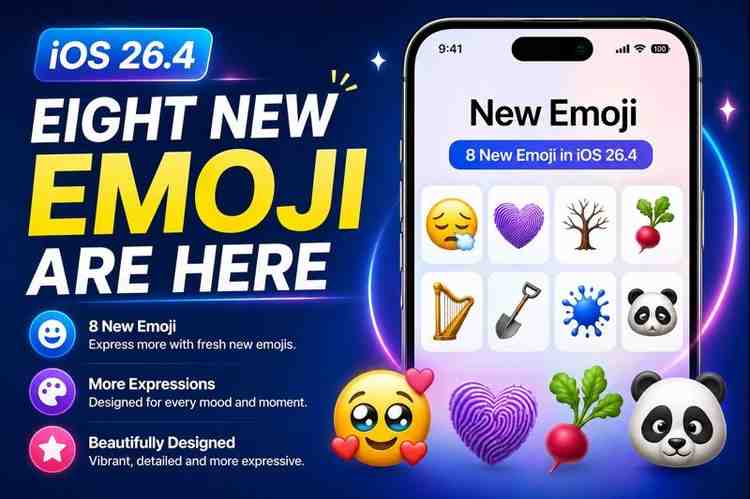
Approved by the Unicode Consortium in September 2025 as part of Unicode 17.0, these eight emoji appear on iPhones for the first time with iOS 26.4.
| Emoji Name | Category | Notes |
|---|---|---|
| Orca | Animals | Killer whale, finally official |
| Landslide | Nature | Weather event |
| Trombone | Music | Joins the brass section |
| Fight Cloud | Expressions | The cartoon dust cloud of conflict |
| Distorted Face | Expressions | Surreal facial expression |
| Ballet Dancers | People | Inclusive gender representation |
| Treasure Chest | Objects | Pirates everywhere are pleased |
| Hairy Creature (Sasquatch) | Mythical | A cryptid receiving Unicode status is objectively funny |
The Unicode Consortium presumably had a very productive meeting the day Sasquatch got approved. Recipients need Unicode 17.0 support to see the new emoji correctly. Unsupported devices display a box or question mark instead.
Here is where iOS 26.4 earns its reputation as a genuinely thorough update.
More Features Worth Knowing About
Reduce Bright Effects. iOS 26 introduced Liquid Glass, Apple’s translucent design language. Some users find the bright highlights when tapping buttons genuinely uncomfortable. iOS 26.4 adds a Reduce Bright Effects toggle under Settings, Accessibility, then Display and Text Size. It minimises bright flashes on buttons and the keyboard. Combined with the existing Reduce Motion toggle, users now have real control over how Liquid Glass behaves.
Family Sharing Payment Fix. Adults in a Family Sharing group can now set their own payment method for purchases. Previously, every purchase by any member — adult or child — billed to the organiser’s card. Children’s purchases still route through the family organiser. According to AppleInsider, this removes the longstanding awkwardness of adults reimbursing each other after buying things on someone else’s card.
Urgent Reminders Smart List. iOS 26.2 introduced an Urgent priority label for tasks. iOS 26.4 builds on that with a dedicated Smart List that collects all your urgent reminders in one view. Mark tasks urgent from the Quick Toolbar or by long-pressing.
Keyboard Accuracy Fix. A bug where tapping a key appeared to register but never actually inserted the character has been resolved. This was also corrupting Auto-Correction’s prediction logic and causing genuinely baffling autocorrect suggestions. Fast typists will feel this improvement immediately.
More Caption Styles in the Video Player. Subtitle customisation now lives inside the media player itself. Tap the speech bubble icon while watching content in Apple TV or compatible apps, tap Style, and choose from Classic, Large Text, Outline Text, or Transparent Background. Changing styles mid-video takes a couple of seconds.
Wallpaper Collection Control. Go to Settings, then Wallpaper, then Add New Wallpaper. You can now download or remove Collections like Weather and Astronomy on demand. Removing one recovers storage space — useful on smaller capacity devices.
Freeform Joins Apple Creator Studio. Freeform gains advanced image creation and editing tools in iOS 26.4. If you use it for creative or design work, this meaningfully expands what the app can do.
Common Mistakes People Make After Updating to iOS 26.4
Updating is the easy part. Getting the most out of the update is where most people fall short.
Not checking Two-Factor Authentication status. Stolen Device Protection will not activate if 2FA is off on your device. Go check that setting right now before you forget.
Ignoring the new privacy settings. iOS 26.4 introduces several security defaults. Take five minutes after updating to review Settings, Privacy and Security. Things may have changed.
Missing Apple Music features entirely. Playlist Playground, Concerts Near You, and the new Now Playing backgrounds are not turned on with a toggle. You have to go looking for them inside the app. Most subscribers will never find them.
Skipping the Accessibility improvements. If you find Liquid Glass effects visually distracting or tiring, the new Reduce Bright Effects toggle under Accessibility is exactly what you needed. Most users do not check Accessibility settings after major updates.
Not downloading video podcasts on Wi-Fi first. Video podcast episodes are significantly larger than audio. If you enable video playback on mobile data without downloading first, you will burn through your data allowance faster than expected.
What Did Not Make It Into iOS 26.4
Two notable features were expected and did not ship.
| Feature | Status | Expected Arrival |
|---|---|---|
| Enhanced Siri Functionality | Delayed | iOS 27, Fall 2026. Bloomberg’s Mark Gurman reported Apple pulled it due to unresolved accuracy issues. |
| RCS End-to-End Encryption | In Beta Testing | iOS 26.5, expected May 2026. MacRumors confirmed it is currently in beta. |
iOS 26.5 is in beta testing now and is expected in May 2026. According to 9to5Mac, it will include Apple Maps updates alongside the encrypted RCS messaging rollout.
Frequently Asked Questions
When did Apple release iOS 26.4? Apple released iOS 26.4 on March 24, 2026. It is the fourth significant point update to iOS 26, which launched in September 2025.
Which iPhones support iOS 26.4? iOS 26.4 supports all iPhones from the iPhone SE (2nd generation) and iPhone 11 through the full iPhone 17 lineup. Apple Intelligence requires an iPhone 15 Pro or newer. The full compatibility list is at apple.com/ios.
Is Stolen Device Protection actually on by default now? Yes, for iPhones with Two-Factor Authentication enabled. If 2FA is off, the feature stays inactive after updating. You can also turn it off manually through Settings if needed.
What is Playlist Playground in Apple Music? An AI-powered beta feature that generates a complete playlist — title, tracklist, and description — from a text prompt you type. Currently limited to US English and available to Apple Music subscribers.
How do I watch video podcasts in iOS 26.4? Open the Podcasts app, find an episode with the video player icon on its title card, open the media player, and tap Turn Video On near the progress bar. Tap Turn Video Off to return to audio. Video episodes support offline downloads.
Does offline Shazam work with no internet at all? Shazam still needs a connection to identify a song — the matching happens on Apple’s servers. But iOS 26.4 saves your offline request and delivers the identification automatically once you reconnect, instead of losing it entirely.
What happened to the enhanced Siri features expected in iOS 26.4? They did not ship. Apple pulled them due to accuracy issues. According to MacRumors citing Bloomberg’s Mark Gurman, they are now expected with iOS 27 this fall.
Will the new emoji show correctly on Android? You can send them to any device. Recipients need Unicode 17.0 support to see them properly. On older or unsupported devices they appear as a box or question mark.
What is coming in iOS 26.5? iOS 26.5 is expected in May 2026. According to 9to5Mac, it will include Apple Maps updates and end-to-end encrypted RCS messaging between iPhone and Android users.
Final Verdict
iOS 26.4 is not flashy. It does not have one headline feature that dominates the conversation for a week. What it has is something rarer and more valuable: a consistent, deliberate pattern of fixing problems that actually needed fixing and shipping features you will use every single day.
Stolen Device Protection defaulting to on is alone worth updating immediately. Add video podcasts, AI playlists, offline Shazam, CarPlay AI integration, and a keyboard that finally registers your taps reliably — and you have a release that improves nearly every corner of the iPhone experience without breaking anything in the process.
iOS 26.4 is not optional. It quietly fixes core iPhone problems and adds features that make your phone genuinely better to use. If you are on a supported device, updating is not a recommendation. It is essential.
Go to Settings. Tap General. Tap Software Update. Get it done.
Sources: Apple Support | MacRumors | 9to5Mac | AppleInsider | TechRadar | Unicode Consortium | Bloomberg
[ays_poll id=’2′]
Read More:
OpenAI Launches GPT-5.5 — AI That Plans, Acts & Gets Real Work Done (2026)