
The Short Version
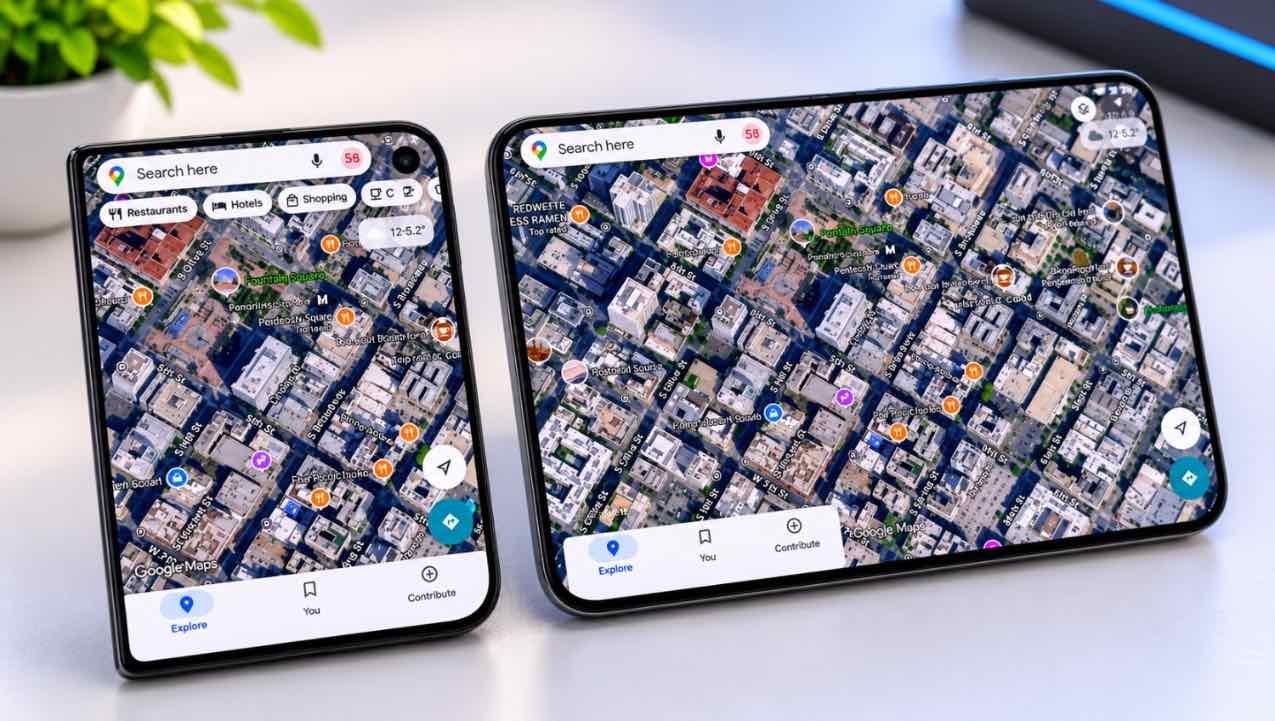
Google Maps has finally been updated to properly support the iPhone Duo. Version 26.44.4 is rolling out on the App Store, and it fixes the two most annoying display issues on Apple’s first foldable: the inner screen no longer shows a phone-width app floating in the middle, and the outer screen no longer leaves a gap on the left.[1][2]
On the inside, Google Maps now looks and behaves like the iPad version: menus and search on the left, map or satellite view stretching corner to corner. Street View gets a side-by-side layout, with the street imagery on the left and the live map on the right. Close the phone, and Street View moves to the cover screen.[3][4]
How We Verified This Story
This article is based on the original GSMArena report and independent hands-on coverage. Here is what supports what:
- Version number and rollout: GSMArena, MacRumors
- Interface changes: AppleInsider and AndroidHeadlines
- Before/after display behaviour: AppleInsider hands-on
- iPhone Duo India price and specs: Mashable India, NDTV
- Launch app compatibility issues: CNN, Wired and Wirecutter via Yahoo Tech
- We have not personally tested the iPhone Duo; analysis is based on published hands-on reports
What Changed in Google Maps 26.44.4
The update is surprisingly quiet. Google’s App Store release notes mention only “bug fixes,” which is standard for the company. But once you open the app on an iPhone Duo, the difference is obvious.[3]
Here is what actually changed:
- The inner display now uses the full width. Previously, Google Maps ran as a phone-width app in the middle of the 7.6-inch screen. Now it switches to a wide layout with menus and search on the left, and the map filling the rest.[3]
- The outer display is no longer offset. The cover screen used to leave a vertical gap on the left to accommodate the iOS dock. That gap is gone, and the map now fills the whole cover display.[3]
- Street View gets a dual-pane layout. On the inner screen, Street View opens on the left while the map stays live on the right. You can look around and still see where you are.[4]
- Street View follows you to the cover screen. If you close the phone while Street View is open, the imagery moves to the outer display, with a close button to return to the map.[3]
The version replaces 26.43.1, which was the build that left offset menus and empty margins near the status bar.[4] The update is available globally through the App Store, including in India.
Before vs After: The Display Fix, Explained
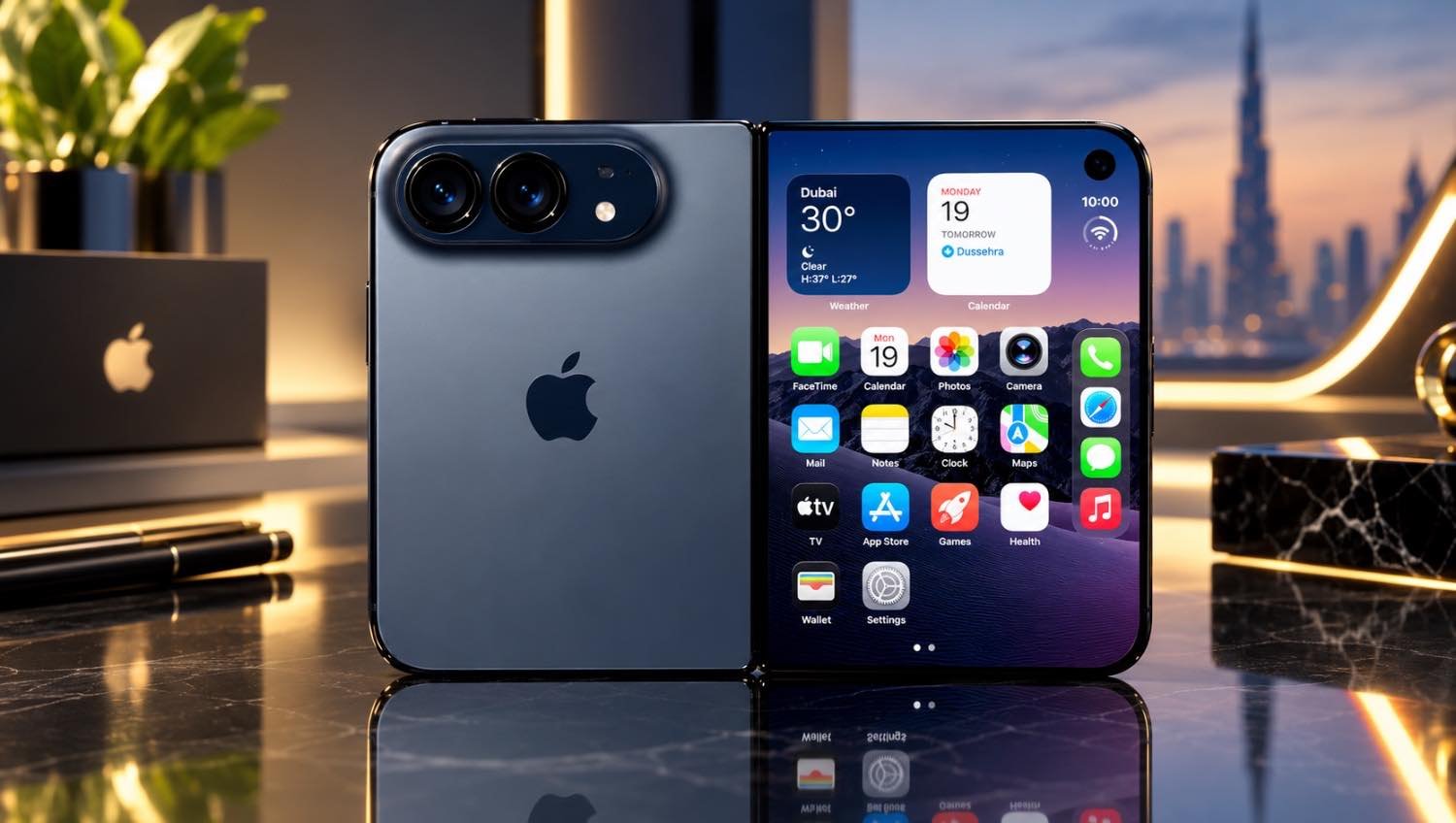
If you have not used an iPhone Duo, it is easy to underestimate how bad the black bars looked. The phone has two screens: a 7.6-inch inner display and a 5.4-inch outer cover screen. When an app does not support the wider inner screen, it appears as a small rectangle in the centre, with thick black margins on both sides.[6]
On a ₹2.99 lakh phone, that looked bad. CNN, Wired and Wirecutter all flagged Google Maps, Gmail, Uber and Call of Duty Mobile as apps that had not been properly adapted at launch.[5]
| Area | Before (26.43.1) | After (26.44.4) |
|---|---|---|
| Inner display | Phone-width app floating in the centre; black bars on both sides | iPad-style wide layout; map fills corner to corner |
| Outer display | Map offset to the left; vertical gap near the status area | Map fills the full cover screen |
| Menus and search | Overlay on top of the map | Dedicated left column, like Google Maps on iPad |
| Street View | Single full-screen view | Side-by-side: Street View left, map right |
| Folding the phone | App stays open on the inner screen | Street View moves to the outer screen |
The improvement on the inner screen is the one you will notice immediately. AppleInsider described it well: “On the inside, though, Google Maps is now this wide app with plenty of room for its menus and search box to the left. Now a map or satellite view fills the screen corner to corner, making it much more like Google Maps on the iPad.”[3]
Why the Black Bars Existed in the First Place
This was not a hardware defect. The iPhone Duo’s display works fine. The problem was software: Apple released the iPhone Duo developer tools late, and many app makers did not have enough time to rebuild their interfaces for a wider screen before launch.[5]
Wired reported that Instagram, Threads, Slack and Google’s main app had begun adding improved layouts during the review period. Google Maps was one of the apps that took longer. The update to 26.44.4 is the fix.[5]
It is worth saying this plainly: Apple’s first foldable had a software problem at launch, not a hardware problem. The Google Maps update is one of several that are slowly fixing it. Other apps, including Zoom, Microsoft Word, Excel, PowerPoint and OneNote, have also added dual-screen support.[4]
iPhone Duo in India: Price and Context
The iPhone Duo went on sale in India on October 23, 2026. It is Apple’s first foldable iPhone and the most expensive iPhone ever sold in the country.[7]
| Specification | Details |
|---|---|
| Inner display | 7.6-inch Super Retina XDR, 120Hz ProMotion |
| Outer display | 5.4-inch Super Retina XDR, 120Hz ProMotion |
| Peak brightness | Up to 3,000 nits |
| Chip | Apple A20 Pro (2nm) |
| Build | Grade 5 titanium frame, Ceramic Shield 2, IP68 |
| Cameras | 48MP dual-camera system |
| India price | ₹2,99,900 (256GB) to ₹4,49,900 (2TB) |
| Sale date | October 23, 2026 |
At that price, buyers are entitled to expect apps that actually use the hardware. The Google Maps update is a small but important step in that direction. It does not make the iPhone Duo a better phone on its own, but it removes a daily annoyance for anyone who uses navigation regularly.[8]
The New Interface, Screen by Screen
On the inner 7.6-inch display
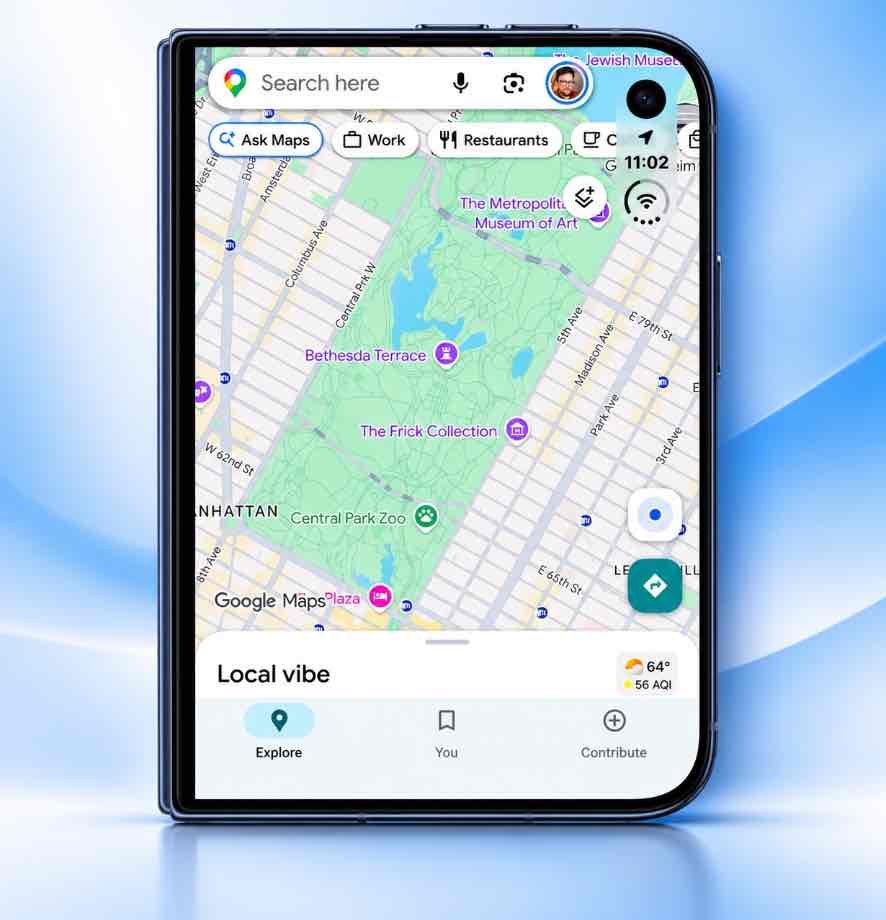
Open the phone, and Google Maps switches to a wide layout. The left column holds the search bar, the Explore and Saved tabs, and the menu. The map fills the rest of the screen. It is almost identical to how Google Maps looks on an iPad, which is exactly the right reference point for a foldable.[3]
This matters for navigation because you can search for a place, check the route, and see the map at the same time, without switching between screens or dismissing a panel. On a regular iPhone, the search UI sits on top of the map. Here, it gets its own space.
On the outer 5.4-inch cover display
The outer screen fix is subtler but still welcome. Before the update, Google Maps was shifted to the left to make room for the iOS dock. After the update, the map fills the whole cover screen. It looks neater, and it uses the smaller display more efficiently.[3]
Street View on both screens
Street View is the most interesting change. On the inner display, it opens in a split view: street imagery on the left, the live map on the right. You can look around a neighbourhood and still see exactly where you are on the map.[4]
There is no option to swap the two sides — Street View always stays on the left. But you can make Street View fill the entire inner screen if you want a larger view. And if you close the phone while Street View is open, the imagery moves to the cover display, with a close button to take you back to the map.[3]
“On the inside, Google Maps is now this wide app with plenty of room for its menus and search box to the left. Now a map or satellite view fills the screen corner to corner.”
What This Means for Indian Users
Most Indian iPhone buyers will not own an iPhone Duo — it is a ₹2.99 lakh phone, and it is still a first-generation foldable. But for those who do, this update improves a few everyday situations.
1. Driving and cab rides
On the inner screen, the map is now large enough to see lane guidance and upcoming turns without squinting. The left column keeps search and saved places accessible. For cab drivers and delivery partners who mount their phone on the dashboard, the wider map is a genuine usability improvement.
2. Metro and local train commutes
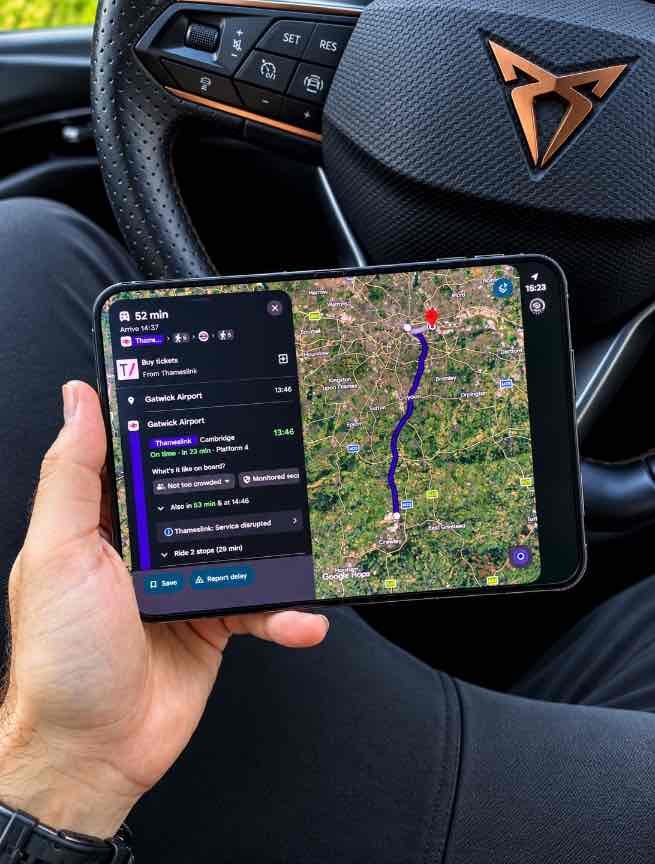
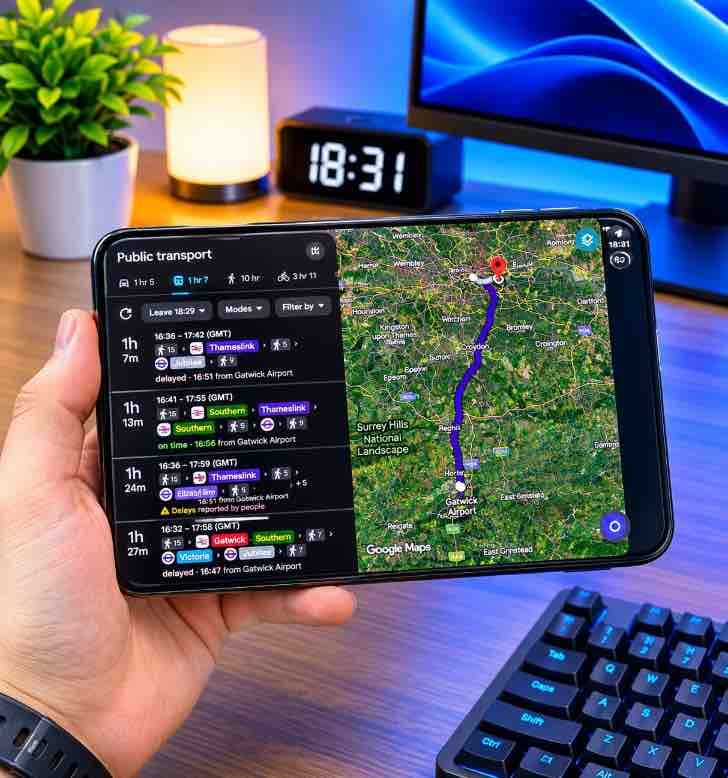
Google Maps already shows live transit information in India, including metro and train schedules, delays and route changes, through the Ask Maps transit widget.[9] On the iPhone Duo’s inner screen, you can keep the map open while checking the next train, instead of switching between apps.
3. Walking and exploring
Street View on the left and the map on the right is a better way to explore an unfamiliar area. You can look at the street-level view and the map position at the same time, which is useful in dense Indian cities where landmarks matter more than coordinates.
4. Travel planning
If you are planning a trip, the wide layout makes it easier to compare routes, saved places and hotel locations on one screen. It is not a reason to buy the phone, but it is the kind of improvement that makes the hardware feel less unfinished.
The caveat is simple: this update only affects the iPhone Duo. If you use a regular iPhone, your Google Maps experience does not change in any visible way.
How to Update Google Maps on iPhone Duo
The update is distributed through the App Store. Here is the fastest way to get it:
- 1Open the App Store
On your iPhone Duo, open the App Store and tap your profile picture in the top-right corner.
- 2Go to Updates
Scroll down to the Updates section. If Google Maps has an update available, it will appear in the list.
- 3Tap Update
Tap Update next to Google Maps. If you do not see it, search for Google Maps in the App Store and check the version number. You need version 26.44.4.
If the update is not showing, pull down on the Updates page to refresh. The rollout is gradual, so it may take a few hours to appear on every device. Google Maps is free on the App Store, so there is no purchase involved.[3]
What’s Still Missing
The update is a big improvement, but it is not perfect.
- You cannot swap Street View and the map. Street View always opens on the left side of the inner screen. There is no option to put it on the right.[3]
- Street View can fill the whole screen, but the split view is the default. That is fine for most people, but if you prefer a full-screen Street View every time, you will need to tap to expand it.
- Google’s release notes do not mention the iPhone Duo at all. The update says only “bug fixes,” which makes it hard to know what else changed.[4]
- Other apps still need work. Gmail and Uber were flagged alongside Google Maps at launch. Google Maps is now fixed, but the broader app optimization problem on the iPhone Duo is not solved overnight.[5]
The Verdict
This update matters if…
- You own an iPhone Duo and use Google Maps for navigation.
- You were annoyed by the black bars on the inner screen.
- You want a proper dual-screen map and Street View layout.
- You use your phone for cab driving, delivery or daily commuting.
It does not change anything if…
- You use a regular iPhone. The visible changes are Duo-only.
- You do not use Google Maps. Apple Maps has its own foldable layout.
- You are not buying an iPhone Duo. The update does not make the phone cheaper.
- You expected Google Maps to replace Apple Maps system-wide. It does not.
Google Maps 26.44.4 is a quiet but important update. It does not add flashy features. It fixes the basics: the app now uses the screen you paid for. On a phone that costs ₹2.99 lakh, that should have been true from day one. Better late than never.
For Indian iPhone Duo owners, the update is worth installing immediately. For everyone else, it is a reminder that foldable phones are only as good as the apps that run on them.
Frequently Asked Questions
Google Maps version 26.44.4 now fills both the inner and outer displays of the iPhone Duo. On the inner screen, it uses an iPad-style layout with menus and search on the left and the map stretching corner to corner. It also removes the vertical black bar that appeared along the right side near the status area.[1][3]
Yes. The app now uses both screens properly. The inner display gets a wide split-view layout, and the outer cover display is no longer offset to the left. Street View also works across both screens.[3]
Yes. The update is distributed through the App Store, so it is available in India. If you own an iPhone Duo, open the App Store, search for Google Maps and update to version 26.44.4. If you do not see the update, pull down to refresh the Updates page.
Open the App Store, tap your profile picture, go to Purchased or Updates, find Google Maps and tap Update. You can also search for Google Maps in the App Store and tap Update if the button is visible.
Not in a visible way. The iPhone Duo-specific layout changes only appear on the foldable. Regular iPhones will receive the standard bug fixes included in version 26.44.4, but the interface will look the same as before.
Yes, in a practical sense. When the phone is open, Google Maps uses the inner screen. When you close it, the app shifts to the outer cover display. Street View also moves to the outer screen if you close the phone while using it.[3]
Yes. If you close the iPhone Duo while Street View is open, the Street View pane moves to the outer screen and a close button lets you return to the map.[3]
The Google Maps update removes one major annoyance, but the iPhone Duo still starts at ₹2,99,900 and remains a first-generation foldable. Buy it if you want the large inner screen and can tolerate early-adopter app gaps. If you mainly need Google Maps, a regular iPhone does the job for far less.[7]
Sources & References
- GSMArena — Google Maps update makes the app fully iPhone Duo compatible (November 4, 2026)
- MacRumors Forums — Google Maps updated to fully support iPhone Duo displays (November 4, 2026)
- AppleInsider — What Google Maps looks like on both iPhone Duo displays, after upgrade (November 4, 2026)
- AndroidHeadlines — Google Maps Update Finally Uses Both Screens on Apple iPhone Duo (November 5, 2026)
- Yahoo Tech — Paid $2,000 for Giant Black Bars? The App Optimization Nightmare That’s Killing iPhone Duo Pre-Orders (October 22, 2026)
- Mashable India — iPhone Duo goes on sale in India: check price, offers and specifications (October 23, 2026)
- NDTV — iPhone Duo at Rs 2.99 lakh: 5 things Indian buyers should know (October 23, 2026)
- Apple India — Official iPhone page
- Mashable India — Google Maps introduces Hindi support, conversation memory and real-time transit with Ask Maps (August 7, 2026)
Looking for More App and Phone Guides?
We track the updates that actually change how your phone works — with honest analysis and India-specific context.
Explore App Guides